Beyond the Camera: What You Really Need for Etsy Photos
Your smartphone—an iPhone 12 or newer, or a recent Google Pixel or Samsung Galaxy—is powerful enough for professional Etsy photos. The key isn't the camera body, but how you control the light and environment around it. Here is the essential, non-negotiable kit.
- Lighting: A single, large light source is better than multiple small ones. Get one 24-inch or larger softbox with a daylight-balanced (5600K) LED bulb. Position it at a 45-degree angle to your product to create soft, flattering shadows that define the piece's shape.
- Stability: A basic tripod with a phone mount. Non-negotiable. It eliminates handshake, ensures consistent angles, and allows you to use a lower ISO for cleaner images. AmazonBasics or UBeesize tripods are perfectly adequate.
- Light Control: A piece of 12x18 inch white foamcore. This is your bounce card. Place it opposite your main light source to fill in harsh shadows, especially on metallic surfaces. This simple tool is the secret to making silver and gold look bright, not gray.
- Backgrounds: Start with a roll of white seamless paper or a large sheet of matte white poster board. For lifestyle shots, collect neutral, textured surfaces: a small marble slab, a linen placemat, a slate tile, or a piece of finished wood.
- Props: Keep them minimal. A simple ring cone, a velvet-lined tray, or a neutral ceramic dish. The prop should never outshine the jewelry.
Before You Shoot: 3 Mindset Shifts for Etsy Success
Many sellers get bogged down by technical details before they even start. Avoid these common mental blocks.
-
"I need an expensive DSLR." You don't. Modern smartphone cameras have sophisticated computational photography features that often produce better, more vibrant JPEGs straight out of the camera than a DSLR in the hands of a novice. Your time is better spent mastering lighting with your phone than learning the complexities of a new camera system.
-
"More props make a better photo." False. Busy backgrounds and excessive props confuse the buyer and make your brand look amateur. A successful Etsy photo has one hero: the jewelry. Every other element should be a supporting actor, adding context or texture without stealing the spotlight. Think less, but better.
-
"One great photo is enough." Shoppers on Etsy can't touch your product. Your 10 photo slots are your primary tool for building trust and answering questions. A single hero shot doesn't show the clasp, the scale, or how it looks on a person. A complete photo set pre-empts questions and reduces the friction to purchase.
The Unwritten Rules: Decoding Etsy's Jewelry Photo Requirements
Etsy has official technical requirements, but the top 1% of sellers follow a set of unwritten rules. Mastering both is key to ranking your listings and converting browsers into buyers.
Official Etsy Photo Specs (The Checklist)
This is the bare minimum for compliance. Etsy's system will resize or reject images that don't meet these standards. The authoritative source is Etsy's own listing photo help page and the photography section of the Etsy Seller Handbook — specs occasionally change, so verify there before a large batch upload. Use this table as your pre-upload checklist.
| Requirement | Etsy Specification | Why It Matters |
|---|---|---|
| Resolution | Minimum 2000px on the shortest side. | Enables the zoom feature, allowing buyers to inspect details like settings and stamps. |
| Aspect Ratio | 4:3 recommended (horizontal). 3:4 for vertical. | Ensures your image fills the frame consistently across search results and listing pages. |
| File Type | JPG, PNG, or GIF. | Standard web formats. Use JPG for most photos; use PNG for images with transparency. |
| File Size | Under 10MB recommended. | Larger files can slow down your listing page, though Etsy optimizes them aggressively. |
| Color Profile | sRGB. | Ensures colors look consistent across different browsers and devices. |
| Quantity | Up to 10 photos and 1 short video (15s max). | Use all slots to build maximum trust and answer every potential buyer question. |
The 7-Shot Formula Used by Top Etsy Sellers
Compliance gets you listed. A strategic photo sequence gets you sold. Successful jewelry brands on Etsy use their 10 slots to tell a complete story. Here is the proven 7-shot formula to replicate.
-
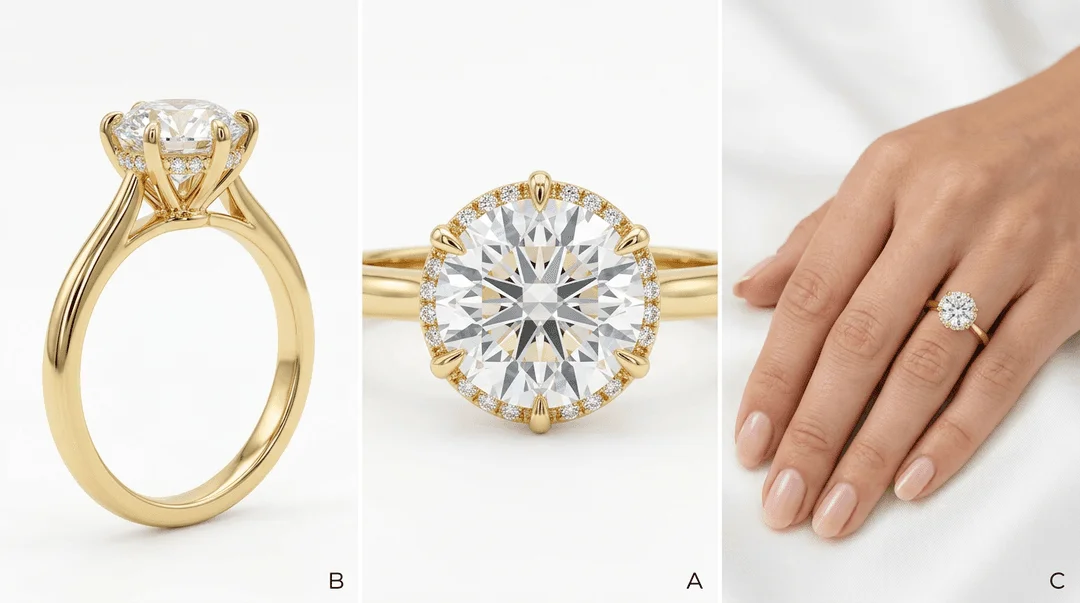
The Thumbnail/Hero Shot: This is your most important photo. It must be clear, compelling, and instantly communicate what the product is. Often this is the jewelry styled on a simple, on-brand background or a clean shot on a model. For a pair of gold hoop earrings, this could be a close-cropped shot on a model's ear, showing the scale and finish.
-
The White Background Shot (Packshot): A clean, distraction-free photo of the product on a pure white or light gray background. This is for clarity. It's the digital equivalent of seeing the piece in a well-lit jewelry case. This shot is essential for press features and is the standard for most e-commerce platforms.
-
The Detail Shot (Macro): Use your phone's macro mode to capture the fine details: the pavé setting on a ring, the texture of a hammered cuff, the clasp on a necklace, or the facets of a gemstone. This shot screams quality and justifies your price point.
-
The Scale Shot: Show the item's size in a universally understood way. The best way is on a person (a hand for a ring, a neck for a necklace). If you don't use models, place it next to a common object like a coin or show it on a ruler. This drastically reduces returns due to size surprises.
-
The Lifestyle Shot: Show the jewelry in context. How would your customer wear it? This is where you sell the feeling, not just the object. A delicate diamond necklace could be layered over a silk blouse; a bold statement ring could be shown on a hand holding a coffee cup. This helps the buyer visualize the piece in their own life.
-
The Packaging Shot: Show your branded box, pouch, or card. A beautiful unboxing experience is a major selling point on Etsy, especially for gift purchases. This photo communicates professionalism and the value you provide beyond the product itself.
-
The Video Clip: A 5-10 second video showing the piece moving in the light. This is the single best way to show off a gemstone's sparkle or the way a chain drapes. It's more engaging than a static photo and Etsy's algorithm favors listings with video.
Common Mistakes That Kill Etsy Jewelry Sales (And How to Fix Them)
Getting the basics right is 90% of the battle. Here are the most common photo mistakes jewelry sellers make and how to fix them with simple adjustments.
-
Mistake: Harsh Shadows & Glare. Using a direct, small light source (like a bare bulb or direct sun) creates hard-edged shadows and specular highlights (glare) that obscure details on metal and gemstones.
- The Fix: Diffuse your light. Place a sheet of white parchment paper or a thin white cloth between your light and the jewelry. Or, bounce the light off a white wall or foamcore. The goal is to make your light source as large and soft as possible.
-
Mistake: Inconsistent Backgrounds. Using a different background, lighting style, and editing filter for every photo in a listing—and across your shop—looks messy and unprofessional. It erodes brand trust.
- The Fix: Choose a primary background (e.g., light gray suede) and a secondary background (e.g., a specific marble tile) and stick to them. Edit all photos with the same preset in Lightroom Mobile or a similar app to ensure consistent white balance and exposure.
-
Mistake: Out-of-Focus Details. Nothing says 'amateur' like a blurry photo. Often, the camera focuses on the background or the edge of the piece instead of the most important feature, like the main stone.
- The Fix: Use your phone's tap-to-focus feature. Tap directly on the part of the jewelry you want to be sharpest (e.g., the center stone of a solitaire). On a tripod, use a 2-second self-timer to prevent camera shake from pressing the shutter button.
-
Mistake: Incorrect White Balance. Photos that are too yellow (warm) or too blue (cool) misrepresent the color of your metals and gemstones. A 14k gold ring that looks orange or a diamond that looks blue is a recipe for a return.
- The Fix: Before you shoot, place a plain white piece of paper in your scene and adjust your camera's white balance settings until the paper looks truly white. Most phone apps have a white balance dropper tool for this. This ensures color accuracy.
Pro Tips for Standout Etsy Jewelry Photography
Once you've nailed the fundamentals, these advanced techniques can help your listings stand out in a crowded marketplace.
-
Create a 'Shop the Look' Image. For one of your 10 slots, create a composite image showing multiple, complementary products. For example, show a model wearing a specific pair of earrings, a necklace, and a set of stacking rings. Add text overlays with the product names. This is a powerful cross-selling tool that encourages larger orders.
-
Use Negative Space. Don't feel the need to fill the entire frame with your product. Leaving empty space (negative space) around the jewelry can create a more elegant, high-end feel. It draws the viewer's eye directly to the product. This works especially well for minimalist pieces.
-
Focus Stack for Ultimate Sharpness. For complex pieces like a multi-stone cluster ring, it's hard to get everything in focus at once, even with a small aperture. Focus stacking involves taking multiple photos focused on different parts of the ring (front, middle, back) and merging them in software like Photoshop or Affinity Photo. This creates one image that is perfectly sharp from front to back.
-
Optimize Your Thumbnail for Mobile. Over 60% of Etsy traffic is mobile. Your primary thumbnail will be viewed as a tiny square in search results. Before finalizing, zoom out on your photo until it's an inch wide. Is it still instantly recognizable? If not, crop it tighter or choose a different, bolder image.
How to Master Etsy Photos in Minutes with Hylo
The manual process of shooting, styling, and editing 10 unique photos per product is time-consuming and requires equipment. Hylo's AI-powered studio automates the entire 7-shot formula from a single, basic photo.
Here’s the workflow:
- Take one simple photo. Place your jewelry on a plain, neutral surface. A photo from your phone is perfect. No complex lighting or styling needed.
- Upload to Hylo. Our AI automatically removes the background and cleans up imperfections. You can use AI Retouch to manually remove any stubborn dust, fingerprints, or reflections with a simple brush.
- Generate your shots with AI Photoshoot. This is where the magic happens. Instead of building scenes, you describe them. Type prompts like "A gold solitaire ring on a textured gray background" to create your white background shot. Generate your lifestyle shot with "on a woman's hand, holding a white coffee mug." Create your scale shot with "on a white marble tray next to a sprig of eucalyptus." You can generate dozens of options in seconds.
- Maintain Consistency with Brand Kit. Save your best backgrounds, surfaces, and props to your Brand Kit. Now you can apply your signature brand aesthetic to any new product with one click, ensuring your entire Etsy shop looks cohesive.
- Add Overlays with Canvas Editor. Use the Canvas Editor to create your 'Shop the Look' composite image or add text callouts for material specs (e.g., "14k Solid Gold," "0.5ct Diamond").
While learning manual photography is a valuable skill, it's a full-time job. Tools like Photoroom or Canva are useful for basic background removal, but they can't generate original, photorealistic scenes. Hylo replaces the need for a photographer and a stylist, allowing you to produce an entire conversion-optimized Etsy photo set for hundreds of products in a single afternoon.
Questions Jewelry Brands Ask About Etsy Photos
Even with a clear formula, unique products present unique challenges. Here are a few common edge cases.
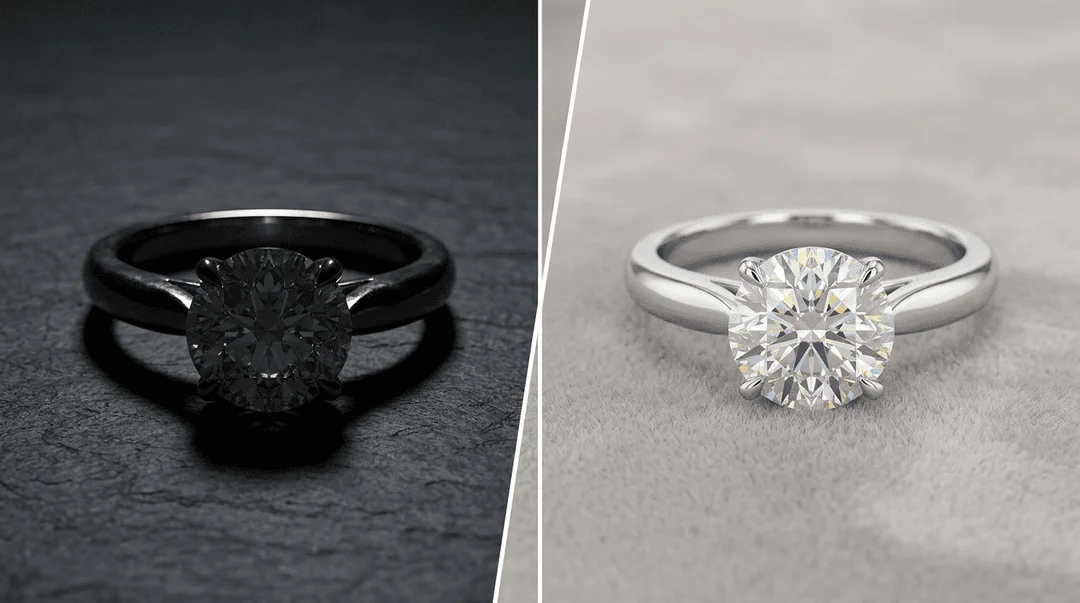
How do I photograph highly reflective jewelry without seeing myself in it?
This is the classic challenge of jewelry photography. The solution is to control the environment being reflected. Instead of shooting in a cluttered room, surround the piece with white surfaces. You can create a 'light box' by using white foamcore on three sides and shooting through the open side. The metal will reflect a clean, bright white surface instead of you and your camera.
Can I use the same photos on my Shopify store and Etsy?
Yes, absolutely. It's efficient and helps build a consistent brand identity across channels. However, consider your primary thumbnail for each platform. On your own website, you might use a more artistic, branded lifestyle shot. On Etsy, a clearer, product-focused shot often performs better in search results where you're competing side-by-side with other sellers. Test both to see what works for your audience.
How often should I update my Etsy photos?
If a listing is performing well, there's no need to change what's working. However, you should plan to refresh your photos every 12-18 months to keep your shop looking current. A great time to do this is when Etsy releases new features, like they did with listing videos. Also, if a listing has low traffic or conversion, a photo refresh is the highest-impact change you can make. A/B test a new thumbnail to see if it improves your click-through rate from search.
