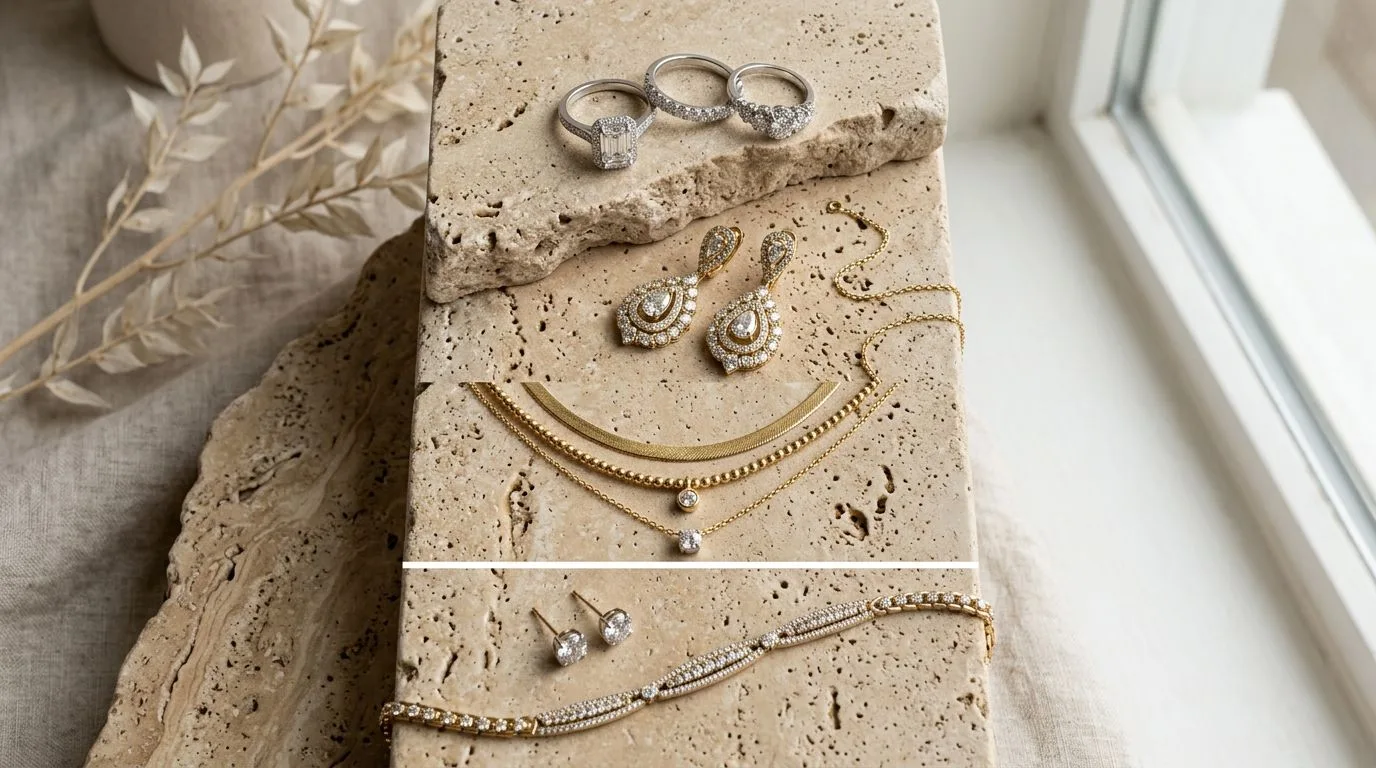
Most jewelry listings treat images as a gallery: a few flattering shots of the piece from slightly different angles. High-converting listings treat the carousel as a sequence of answers. Every image occupies a slot, and every slot exists to remove one specific reason a buyer might hesitate. When you sequence by objection rather than by convenience, the same number of images does far more selling.
This framework maps each slot to the doubt it should resolve. It works across Amazon, Shopify, Etsy, and your own storefront, with the only variable being how many slots each platform gives you and which backgrounds it mandates on the first image. The principle is platform-agnostic because buyer psychology is platform-agnostic: wherever someone shops for jewelry, they run through the same internal checklist of questions before they trust a listing enough to buy.
Slot 1: recognition
The first image has one job, and it is not to be beautiful. It is to win the click in a crowded search result where it appears as a small thumbnail. That means a clean, frame-filling packshot, on a white background wherever marketplace rules require it, optimised so the piece is instantly recognisable at around 200px wide. Artistry, mood, and lifestyle all come later. If the first image fails to earn the click, none of the others get seen.
Slot 2: scale
The most common reason jewelry gets returned is that it arrived a different size than the buyer pictured. A pendant looks substantial in a packshot and turns out smaller than a coin; a band looks delicate and arrives chunky. Resolve this immediately with the second image by showing the piece on a model, on a hand, or beside a clear size reference. This single shot does more to reduce returns than any other, which is why it belongs early rather than buried at the end.
Slot 3: quality
With recognition and scale handled, the next doubt is quality. A macro shot of the stone, the setting, or the surface texture lets a buyer judge whether the prongs are even, the stone is well-seated, and the metal is cleanly finished. For fine and bridal jewelry this is where a discerning buyer decides the piece is worth the price. The macro is the image that rewards the zoom feature, which is why keeping your files above the zoom threshold matters.
Slot 4: proof
For higher-priced pieces, dedicate a frame to proof of authenticity and craftsmanship: a hallmark or purity stamp, a maker's mark, reverse meenakari or engraving, or a signature clasp mechanism. This is trust-building content. It tells the buyer the piece is what the description claims, which is particularly important for gold and for branded or certified items.
Slot 5: facts
Buyers have factual questions, dimensions, metal purity, stone size, care requirements, and an infographic answers them in a scannable form. Keep infographics on secondary slots, never on a marketplace main image where text is prohibited, and make sure the type is legible at the size the image actually displays. A measurement diagram beside the piece resolves the questions that text descriptions often bury.
Slots 6 to 9: reassurance and motion
The remaining slots handle the supporting cast: colour and metal variants so buyers see their option, the packaging they will actually receive, and a short video. Video deserves emphasis, because movement reveals sparkle, depth, and scale that no still can, and platforms increasingly surface listing video in ways that lift engagement. Place it after the core stills so the essential answers land first.
Why sequencing beats volume
It is tempting to think more images always help, but a carousel of eight near-identical three-quarter shots performs worse than five images that each answer a different question. The reason is cognitive: a buyer scrolling a listing is running an internal checklist of doubts, how big is it, is it well made, will it suit me, is it authentic, what exactly do I receive. Every image that answers one of those doubts moves them toward purchase, and every image that repeats an already-answered point is wasted attention. Sequencing by objection forces you to cover the full checklist rather than over-investing in the one angle that was easiest to shoot.
This is also why the order matters as much as the content. Buyers do not always reach the last image, so the highest-value answers, recognition and scale, must come first. Burying the scale shot in slot seven means the buyers who hesitate over size, the largest group at risk of not converting, never see the answer. Front-load the doubts that lose the most sales.
Mapping slots to the buyer's questions
A useful way to design a carousel is to write down the questions a buyer asks in the order they ask them, then assign each to a slot. The first question is simply "what is this and is it what I searched for", answered by the recognition packshot. The second is "how big is it really", answered by the scale or on-model frame. The third is "is it well made", answered by the macro. The fourth is "can I trust it is genuine", answered by the proof shot. The fifth is "what exactly are the specifications", answered by the infographic. Later questions, "what are my options", "what will I receive in the box", and "what does it look like in motion", map to the variant, packaging, and video slots.
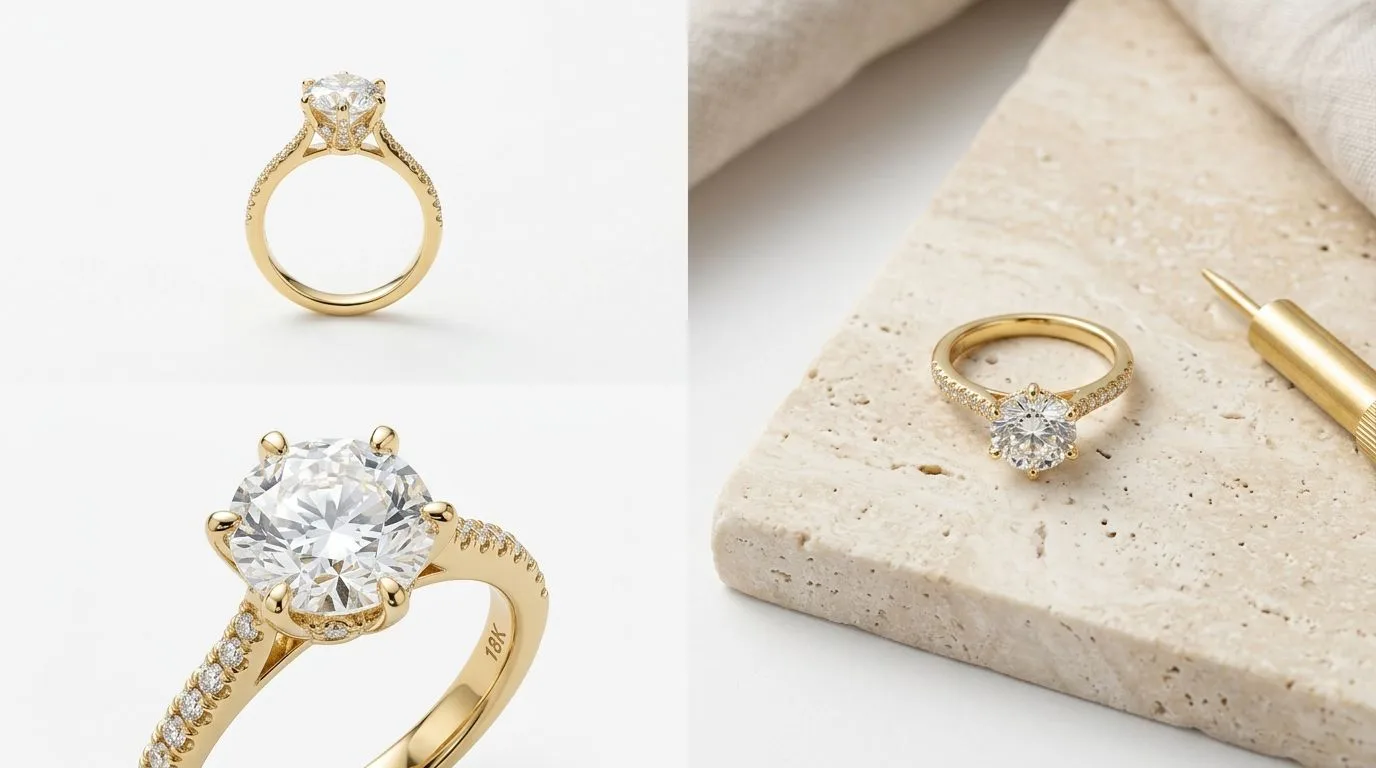
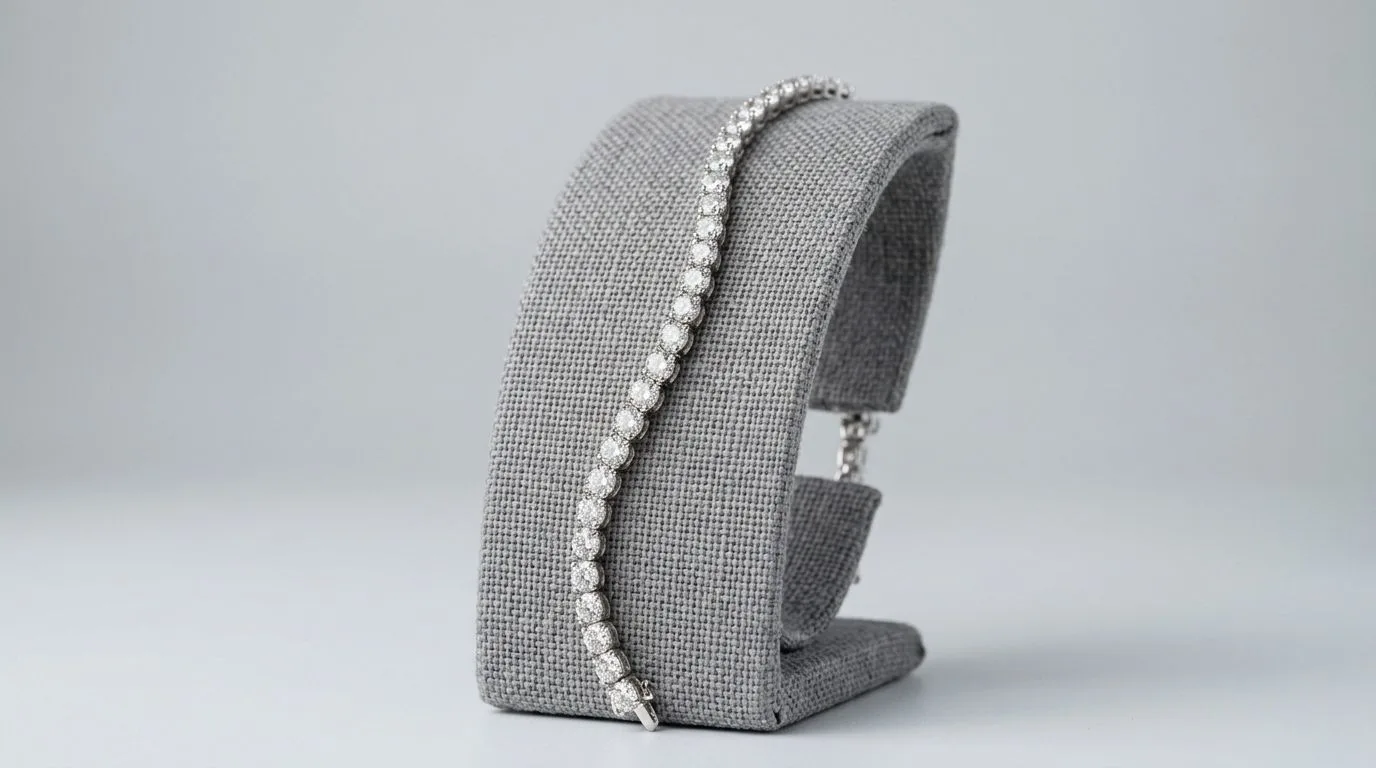
When you build the carousel from the buyer's questions rather than from your available photos, gaps become obvious. If you have no scale frame, you have left the biggest return-driver unanswered. If you have three hero angles but no proof shot, you are under-serving the trust question on a high-value piece. The framework is really a checklist for completeness.
How the carousel reduces returns, not just lifts clicks
Most discussion of product images focuses on conversion, but for jewelry the returns side is just as important to margin. A return costs the original shipping, the return shipping, the handling and inspection, and often a markdown if the piece cannot be resold as new, and on marketplaces a high return rate can harm your account health. The two images that most reduce returns are the scale frame and the honest macro, because the two most common return reasons for jewelry are "smaller or larger than I expected" and "looked different or lower quality than the photos".
This creates a discipline that runs counter to the instinct to flatter the product. The scale frame must show the true size even if the piece is small, and the macro must show the real finish even if it reveals the piece is simpler than a glamorous hero shot implied. A carousel that wins the click with an over-flattering hero and then disappoints on arrival trades a short-term conversion gain for a long-term returns and reputation cost. Honesty across the sequence is what makes the listing profitable over time, not just clickable.
Adapting the framework per platform
The slot framework is universal, but the constraints differ by platform. On Amazon, the first image must be a pure-white packshot with no text, so your recognition slot is fixed in style, and infographics and lifestyle shots must wait for secondary slots. On Etsy, the first image can be more lifestyle-led because Etsy buyers respond to styled, in-context imagery, so your recognition slot can carry more mood while still being legible as a thumbnail. On your own Shopify store you control everything, so the discipline has to come from you rather than from platform rules.
The practical approach is to design the full sequence once around the buyer's questions, then adjust only the first image and the placement of text-bearing frames to fit each platform's rules. The underlying logic, recognition, scale, quality, proof, facts, options, packaging, motion, stays constant, which is what lets you run a coherent presence across several channels without redesigning from scratch each time.
The scale frame: the most important image you are probably underusing
If there is one image that deserves disproportionate attention, it is the scale frame, because misjudged size is the single most common jewelry return reason. There are three ways to establish scale, and the best listings use whichever fits the piece. On-model or on-body, a ring on a hand, a necklace on a neckline, earrings on an ear, is the most intuitive because buyers instantly map the piece onto themselves. On-hand held, where fingers hold a piece, works for items not worn on the body, like a brooch or a loose pendant. And reference-object scale, the piece beside a coin or a ruler, is the most literal but the least aspirational, so it suits functional listings more than premium ones.
Whichever method you choose, accuracy is everything. Using an unusually small hand to make a ring look larger, or a camera angle that exaggerates a pendant, converts a browser into a buyer and then into a returner and a negative review. The scale frame must show the true size, even when the true size is modest, because the cost of a size-driven return on jewelry, two-way shipping, handling, and possible markdown, far outweighs the marginal click a flattering distortion might win. An honest scale frame placed early in the carousel is both the strongest conversion tool and the strongest returns-reducer you have.
The proof frame and buyer trust
For anything above an impulse price point, buyers want evidence that the piece is what the listing claims. The proof frame supplies it: a clear macro of a hallmark or purity stamp for gold, a maker's mark for a branded piece, a certificate or grading card for a diamond, or a signature mechanism like a particular clasp or setting style. This frame does quiet but heavy lifting on trust, because it signals that the seller is confident enough to show the verifiable details rather than hiding them behind flattering hero shots.
The proof frame is especially important in categories where counterfeiting or misrepresentation is a known buyer worry, such as gold, branded designer pieces, and certified diamonds. Showing the hallmark or certificate does not just inform; it reassures the buyer that you are a legitimate seller of a genuine article. For Indian gold sellers, a clean macro of the BIS hallmark and HUID is a natural fit for this slot and pre-empts a question many buyers would otherwise ask before purchasing.
Designing the carousel for mobile
Most jewelry browsing happens on phones, which changes how the carousel should be designed. On a small screen, images are viewed at a fraction of their resolution, swiped quickly, and often without reading much description, so the images must carry the message almost on their own. This reinforces front-loading: the recognition and scale frames must work at a glance on a small screen, and any text on infographic slots must be large enough to read on a phone, not just on a desktop preview. A measurement diagram that is legible on a 27-inch monitor but tiny on a phone fails the buyers who actually matter.
Test your carousel the way buyers see it, on a phone, swiping at normal speed, to confirm the sequence tells a coherent story even to someone who never reads the description. If the piece's size, quality, and key facts come across from the images alone on a small screen, the carousel is doing its job.
Keeping it consistent at scale
A framework is only useful if you apply it uniformly. Fix the slot order, packshot, scale, macro, proof, infographic, variant, packaging, video, and run every SKU through it. Consistency makes a storefront look professional and trains repeat buyers where to look. For large catalogs, generating each slot to a fixed template, rather than art-directing every piece individually, is what makes the framework practical. Hylo's AI Photoshoot can produce the packshot, scale, and on-model frames to a consistent template across an entire catalog, and AI-generated video can supply the motion slot from a single still.
The deeper point is that a carousel framework turns image production from a creative decision made anew for every product into a repeatable process. Creative decisions are slow, inconsistent, and hard to delegate; a process is fast, uniform, and scalable. When you know in advance that every piece needs the same eight slots answering the same eight questions, you can batch the work, brief it clearly, and check it against a fixed standard. That is what lets a small team keep hundreds of listings complete and coherent, and it is why the most professional-looking jewelry storefronts almost always have the most disciplined, repetitive image sequences behind them.
Start applying the framework to your best-selling and highest-margin pieces first, where a more complete carousel pays back fastest, then roll it out across the catalog. You will usually find that the products which were underperforming despite good traffic were missing one of the key answer slots, most often the scale frame, and that filling the gap lifts conversion without any change to the product, the price, or the description. That is the quiet power of treating the carousel as a sequence of answers rather than a gallery of pictures.
