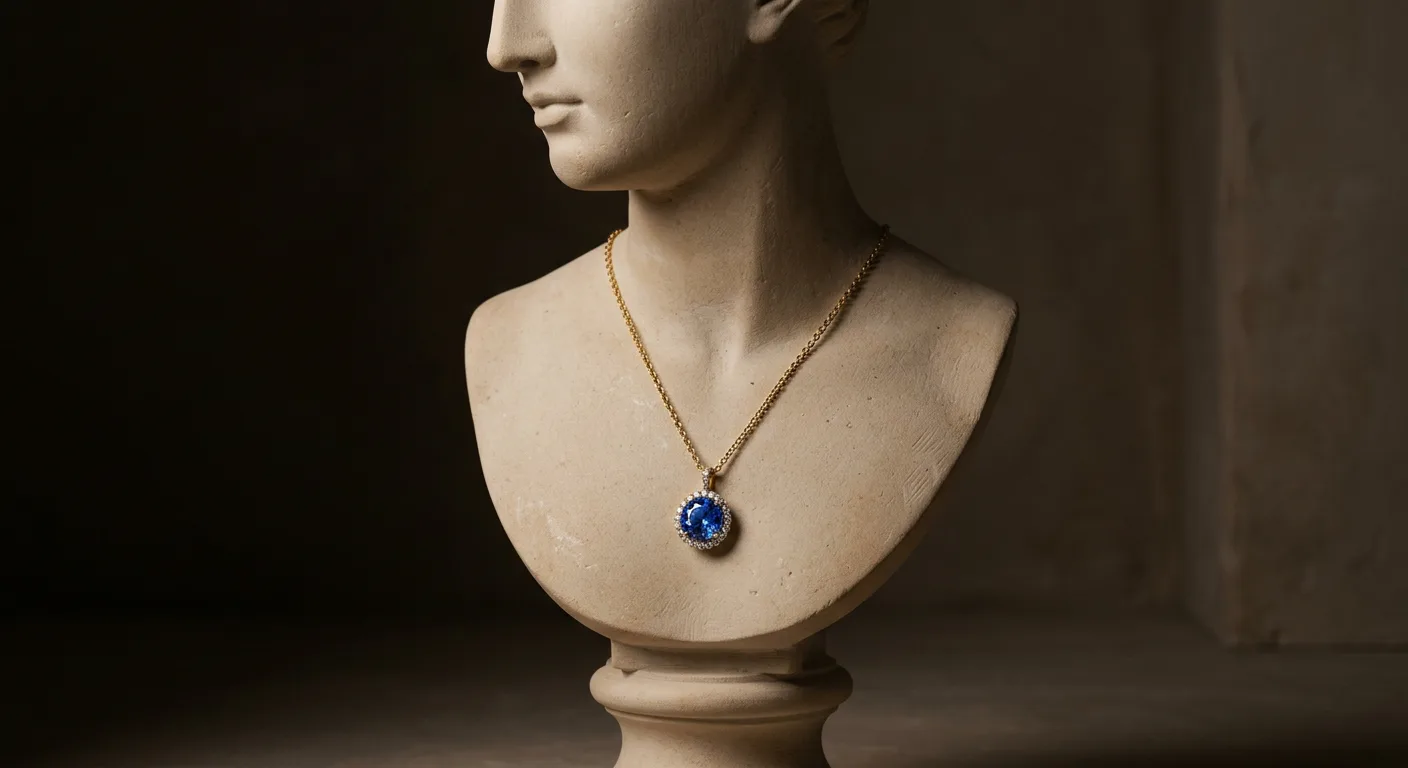
How This Guide Helps You Choose the Right Necklace Photo
Choosing the right visual strategy for your necklaces isn't just about aesthetics; it's about performance. The photo that works on a wholesale linesheet will fail on Instagram, and the image that converts on your Shopify product page might violate Amazon's terms of service. This guide helps you map the right AI-generated photo style to the right business goal.
Use these rules to decide where to start:
-
For Marketplace Listings (Amazon, Etsy, The Yes): Your primary goal is clarity and compliance. Start with a pure white background packshot. Amazon's policy requires the main image to be on a
RGB(255, 255, 255)background, and this style performs best for discoverability on all marketplaces. For a delicate 16-inch silver chain with a small sapphire, a clean packshot or a ghost mannequin shot is non-negotiable. It shows the product without distraction, building initial trust and getting the click from a crowded search results page. -
For Your DTC Storefront (Shopify, Webflow): Here, your goal is to build a brand and drive desire. While you still need a clean packshot for the main image, your gallery should be a rich mix. Lead with an on-model shot generated with AI Photoshoot to show scale and drape. Follow with a lifestyle image—the necklace on a marble tray next to a perfume bottle—to create a mood. Add a macro shot of the clasp or a pavé detail to signal quality. This sequence tells a story, answers customer questions visually, and justifies a premium price point.
-
For Social Media (Instagram, TikTok, Pinterest): Engagement is the key metric. Standard packshots won't work. You need scroll-stopping creative. Use AI to place your gold vermeil pendant on a textured background like black sand or against a vibrant, floral backdrop. Generate a series of on-model shots with different outfits and moods to create a cohesive campaign. These editorial-style images are designed to be shared, saved, and to communicate a distinct brand identity that a simple product photo cannot.
-
For Wholesale & B2B (Linesheets, Faire): Buyers need consistency and comparability. They are looking at hundreds of products and need to quickly assess your collection. The best approach is a consistent flatlay or simple bust-form shot for every piece. With Hylo's Brand Kit, you can define a single background, lighting setup, and angle, then apply it to your entire collection. This ensures your linesheet looks professional, organized, and makes it easy for a wholesale buyer to say yes.
Why AI Photography is a Game-Changer for Necklaces
Photographing necklaces is notoriously difficult, expensive, and time-consuming. Chains tangle and kink. Reflective metals create harsh glare. Delicate pendants get lost against busy backgrounds. Achieving the perfect, elegant drape on a model or bust requires patience and a skilled stylist. A typical professional photoshoot to solve these problems costs between $2,000 and $5,000 per day for the photographer, model, studio, and retoucher—a prohibitive cost for most growing brands.
AI photography eliminates these barriers. By training on millions of high-end jewelry images, AI understands the physics of how a chain should fall and how light should reflect off a diamond. You can take one simple, well-lit photo of your necklace lying flat on a table with your iPhone, and Hylo's AI Photoshoot can transform it into dozens of unique, professional assets.
Consider the impact on conversion. A study by Etsy found that photo quality is the single most important factor for shoppers when deciding to make a purchase. For a product as visual as a necklace, the difference between a DIY photo and a studio-quality image can be significant. Imagine A/B testing a product page for a $250 pearl necklace. Page A uses a simple iPhone shot against a wrinkled linen background. Page B uses a series of AI-generated images: a clean packshot, an on-model shot showing the necklace layered with another piece, and a lifestyle shot of it draped over an open book. The perceived value on Page B is instantly higher, justifying the price and building the trust needed to convert a new customer. This is the power of great imagery, now accessible to every brand.
On a channel-by-channel basis, the benefits are clear:
- Shopify/DTC: Tell a richer brand story and increase average order value by showing necklaces in styled layers.
- Amazon: Achieve perfect compliance with image requirements without tedious Photoshop work, improving your product's visibility.
- Etsy: Stand out in a visually competitive marketplace with a variety of lifestyle and on-model photos that DIY sellers can't easily replicate.
- Wholesale: Produce professional, consistent linesheets that make your brand look established and reliable to retail buyers.
The Core Necklace Photography Styles at a Glance
AI doesn't just create one type of photo; it gives you an entire creative toolkit. Understanding the core styles and when to use them is key to building a powerful visual strategy for your necklaces. These styles can be grouped into three main categories, each serving a different purpose in the customer journey.
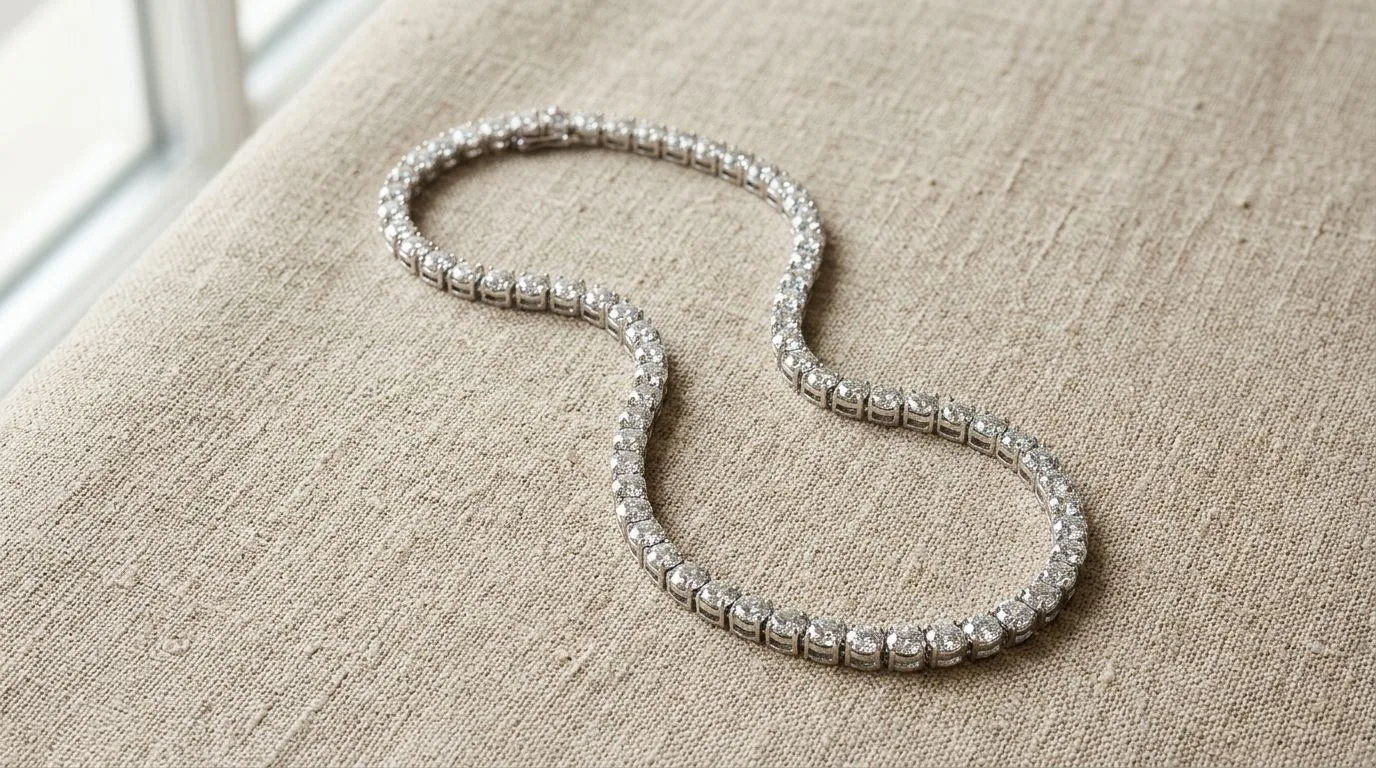
First are the E-commerce Essentials. These are the non-negotiable workhorses of your product listings. The most fundamental is the packshot, a clean, perfectly lit image of the necklace on a pure white background. It's the standard for marketplaces and the clearest way to show the product itself. Closely related is the ghost mannequin or bust-form shot, which shows the necklace's shape and drape as if worn by an invisible person. This is crucial for communicating scale and how a piece will sit on the collarbone. Finally, the flatlay offers a top-down view of the necklace, often arranged artfully. AI excels at generating these, eliminating the tedious process of arranging chains perfectly and removing shadows in post-production. Tools like Hylo, Photoroom, and Pebblely all handle these essential shots well, but Hylo is specifically trained on the nuances of jewelry.
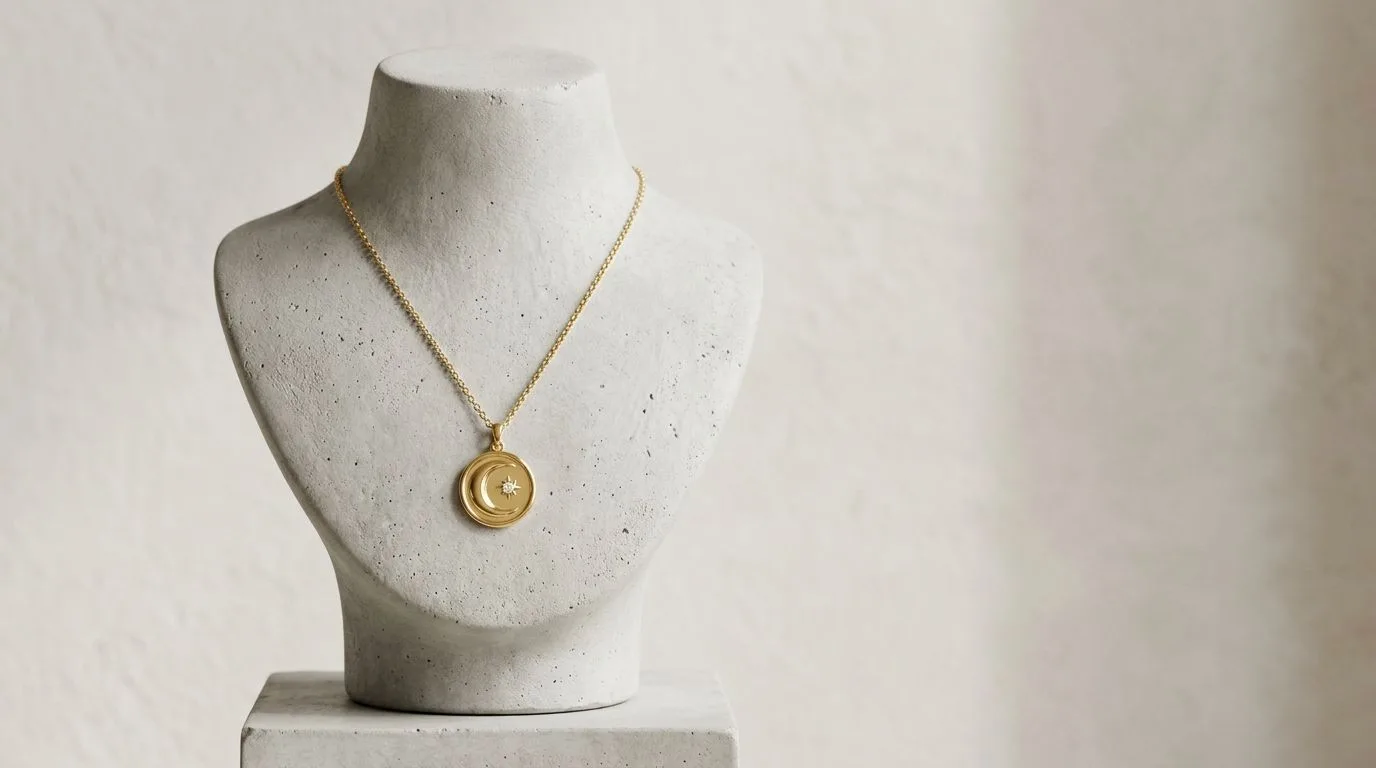
Next are the Brand and Lifestyle images. This is where you move from showing what the product is to showing what it feels like. On-model photography is the most powerful tool in this category. With AI, you can generate an endless variety of models of different ethnicities, ages, and styles wearing your necklace—without hiring a single person. This shows the product in a real-world context and allows customers to see themselves in your brand. Lifestyle scenes take this a step further, placing the necklace in an aspirational setting: laid on a stack of vintage letters, next to a cup of coffee on a Parisian cafe table, or nestled in a velvet-lined jewelry box. These images are perfect for social media, email marketing, and your website's homepage, as they sell a vision, not just a product.
Finally, there are the shots that communicate Detail and Materiality. These images build trust and answer the specific questions of discerning customers. Macro shots are extreme close-ups that highlight the craftsmanship of your piece—the precision of a prong setting, the texture of a hammered-gold finish, or the facets of a gemstone. AI can generate these with perfect, dramatic lighting that would be difficult to achieve in a home studio. You can also create shots that focus on functional details, like the clasp mechanism or the extender chain. These practical images reassure customers about the quality and wearability of the necklace, helping to overcome purchase hesitation and reduce returns.
Building a Complete Product Listing with AI Photos
Creating a comprehensive and high-converting product detail page (PDP) doesn't require a week-long photoshoot. With AI, you can build a complete image gallery from a single source photo in under an hour. Here’s a practical workflow for a hypothetical product: a 14k gold-filled necklace with a small, emerald-cut green onyx pendant.
The Source Image: Start by laying the necklace flat on a neutral, non-reflective surface like a piece of white foam board. Use diffuse natural light from a window, or a simple ring light. Make sure the chain is untangled and the pendant is sharp. Take a clear, high-resolution photo with your smartphone. This is your only raw material.
-
Generate the Main Image (The Packshot): Upload your source photo to Hylo's AI Photoshoot. Your first generation should be the e-commerce essential: a clean, centered packshot on a pure white background. Select a prompt like "Product shot on a white seamless background, bright studio lighting." This will be your primary image for Shopify, Amazon, and Etsy.
-
Create On-Model Context: Using the same source image, generate two on-model variations. First, a close-up shot on a model's neck, showing the necklace against skin to communicate scale. A good prompt would be: "Close up on a woman's neck wearing a gold pendant necklace, wearing a simple white t-shirt, soft natural light." Second, generate a shot of a model wearing it with a black evening dress to show its versatility. This helps shoppers visualize wearing the piece themselves.
-
Add Aspirational Lifestyle Shots: Now, create two lifestyle images that build the brand's mood. Prompt one image of the necklace draped over the edge of a marble birdbath surrounded by soft green moss. This evokes a natural, earthy feel. For the second, prompt an image of it lying on an open hardcover book next to a pair of reading glasses, suggesting a more sophisticated, intellectual aesthetic.
-
Highlight Quality with a Detail Shot: Finally, generate one macro shot. Use a prompt like: "Macro detail shot of an emerald-cut green onyx in a gold bezel setting, dramatic side lighting to show facets." This image screams quality and craftsmanship, justifying your price point and giving confident buyers the details they need.
The Final Gallery: In minutes, you've created a 6-image sequence: packshot, close-up on-model, styled on-model, two distinct lifestyle shots, and a macro detail shot. This comprehensive gallery tells a complete story, answers visual questions about size, use, and quality, and builds a powerful brand impression—all from one photo and without a single day in the studio.
Common Mistakes to Avoid with AI Necklace Photography
While AI photo generation is powerful, it's not foolproof. Brands that treat it like a magic button without a clear strategy often end up with inconsistent or unconvincing results. Here are the most common mistakes and how to fix them.
-
Mistake 1: Inconsistent Brand Aesthetic. Generating a dark, moody lifestyle shot for one necklace and a bright, airy beach scene for another in the same collection. This creates a chaotic and unprofessional look on your category pages.
- The Fix: Use a tool with brand consistency features. In Hylo, the Brand Kit allows you to save your preferred backgrounds, lighting styles, and model aesthetics. By applying your Brand Kit to every generation, you ensure every photo, from a simple chain to a statement pendant, feels like it belongs to the same cohesive brand.
-
Mistake 2: Ignoring Source Photo Quality. Using a blurry, poorly lit, or low-resolution photo as your input. The AI's output is only as good as its input. If the source image doesn't clearly show the details of the clasp and chain, the AI will have to guess, often resulting in distorted or unrealistic details.
- The Fix: Follow the 'garbage in, garbage out' principle. Take a few extra minutes to shoot a great source photo. Use a tripod for stability, clean your phone lens, and ensure the entire necklace is in sharp focus under bright, indirect light.
-
Mistake 3: Unrealistic Physics and Draping. Prompting scenarios that defy gravity or result in awkward chain placement. An early-generation AI might render a heavy pendant floating in mid-air or a chain that appears stiff as a wire.
- The Fix: Start with realistic prompts and use a source image where the necklace is laid out naturally. When an otherwise great image has a small flaw—like a chain that looks slightly off—use a retouching tool. Hylo's AI Retouch is designed for this, allowing you to easily fix minor imperfections without needing Photoshop skills.
-
Mistake 4: Creating a Visually Boring Product Page. Relying exclusively on one type of photo, usually the white background packshot. While essential, a gallery of only packshots is sterile and fails to create an emotional connection or answer key customer questions about how the necklace will actually look and feel when worn.
- The Fix: Adopt the multi-asset workflow described in the previous section. For every necklace, aim to create a minimum of 4-5 image types: the packshot, an on-model shot, a lifestyle shot, and a detail shot. This variety keeps shoppers engaged and provides all the visual information they need to make a confident purchase.
