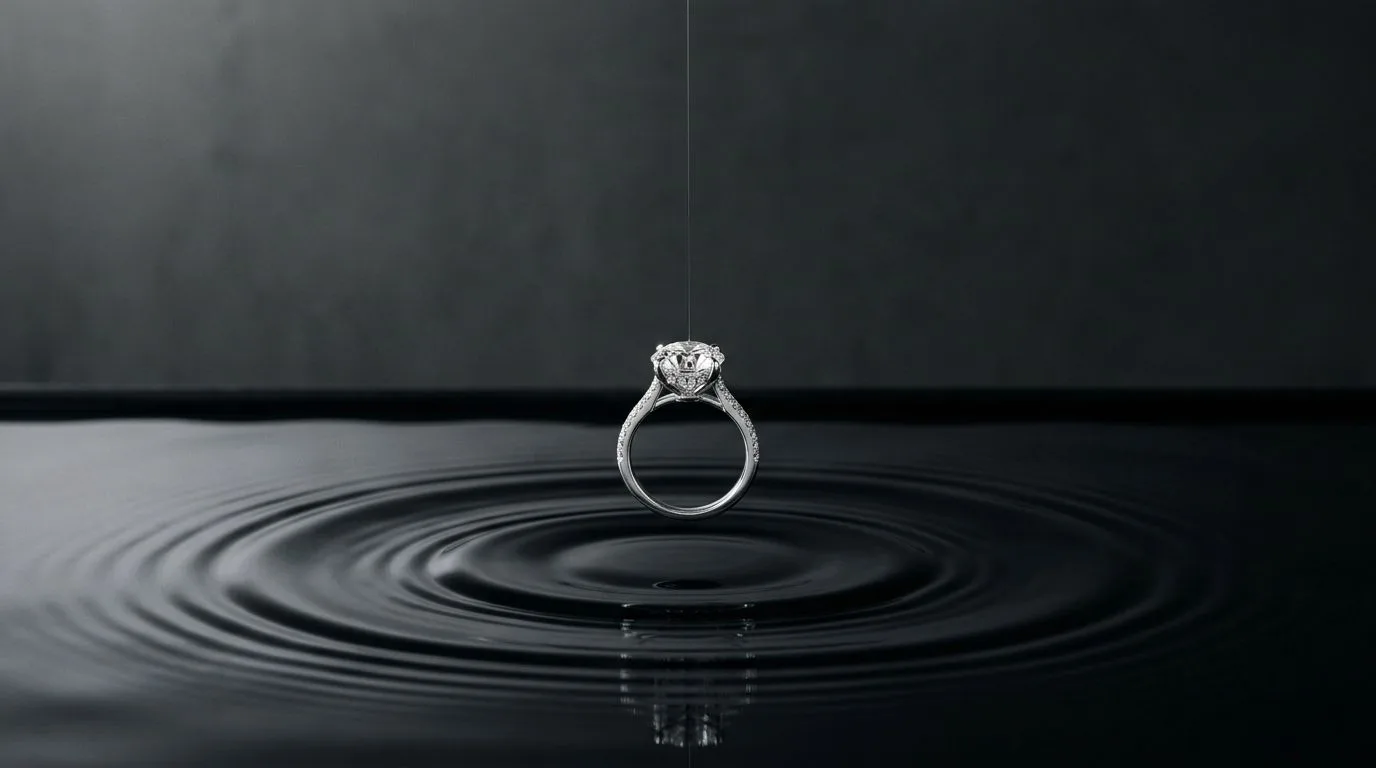
How This Guide Helps You Create Better Ring Photos
This is your central resource for creating every type of ring photograph your business needs. Instead of a random list of ideas, think of this as a decision-making framework. The right photo depends entirely on where your customer sees it. A main image on Etsy has a different job than a hero image on your website or a video still on TikTok Shop.
Use these rules to navigate the different styles and find the exact photo you need:
-
If you're selling on a marketplace (Amazon, Etsy, Faire): Start with the essentials. Your primary goal is a clean, clear, and compliant main image. This means a Packshot on a pure white background. Marketplaces require this for a reason: it creates a uniform, distraction-free shopping experience and puts the product first. Your first step is always to generate a high-resolution shot of the ring, perfectly lit, on a seamless white or light gray background. This is your non-negotiable foundation.
-
If you're building your own storefront (Shopify, Webflow): You need to create a brand world. While you still need the clean packshot for the main product image, your hero banners and secondary images must convey emotion and quality. This is where Lifestyle and Environmental shots come in. For a minimalist brand, this might be a ring placed on a simple block of travertine marble. For a bohemian brand, it could be a flatlay with dried flowers and linen. Use Hylo's
AI Photoshootwith prompts like "on a beige silk ribbon" or "next to a single white rose petal" to build a visual mood that justifies your price point. -
If you're marketing on social media (Instagram, TikTok, Pinterest): Your goal is to stop the scroll. This requires context, scale, and aspiration. On-Model photos are essential here. An image of a delicate stacking ring on a perfectly manicured hand instantly communicates its size and how it's meant to be worn. It transforms the ring from a simple product into a piece of a desirable lifestyle. Use these shots for carousels, stories, and pins to show the ring in a real-world context that feels both authentic and aspirational.
-
If you're creating a wholesale linesheet or catalog: Clarity and detail are paramount. Buyers need to see the craftsmanship. Supplement your standard packshot with Macro shots that highlight specific features. For an engagement ring, this could be a close-up of the prong setting, the pavé band, or the clarity of the center stone. These detailed shots prove the quality of your work and give buyers the confidence to place a large order.
Why AI-Generated Ring Photography Matters
Professional photography is one of the biggest bottlenecks for growing jewelry brands. A single photoshoot can cost $2,000-$5,000, take weeks to coordinate, and yield a limited set of images. If you launch a new collection of 20 rings, you either pay that fee again or your product shots are inconsistent. AI photography solves this by decoupling image creation from physical studio time.
The impact is felt across every channel:
-
On Your Website: A strong set of images builds trust and answers customer questions before they're asked. A study by Etsy found that product photo quality is the single most important factor in a customer's purchase decision. When a shopper sees a ring from multiple angles, on a model, and with a macro detail shot, they have the confidence to click "Add to Cart." A complete image gallery can reduce hesitation and increase conversion rates by showing the product's true scale, texture, and detail, which a single photo can't do.
-
On Marketplaces: On Amazon or Etsy, your product lives next to hundreds of competitors. Your main image is your only chance to earn the click. A crisp, well-lit packshot on a pure white background isn't just a suggestion; it's a requirement for ranking well in search results. Tools like Hylo's
AI Retouchensure your metal is bright, your stones sparkle, and your background is a perfect #FFFFFF, giving you a competitive edge. -
On Social Media: Your Instagram grid is your digital storefront window. It needs to look cohesive and aspirational. AI allows you to maintain a consistent aesthetic without needing the exact same props for every shoot. Using a Hylo
Brand Kit, you can define your brand's specific backgrounds, surfaces, and lighting styles. This means a ring you shoot today can perfectly match the style of a bracelet you shot six months ago, creating a powerful and professional brand presence. -
For Wholesale & PR: When you send a linesheet to a potential stockist like Nordstrom or a local boutique, the photos represent your brand's quality. Pixelated, poorly lit images suggest an amateur operation. Crisp, professional shots communicate that you're a serious brand ready for partnership. The same is true for press features; editors are far more likely to feature products with readily available, high-resolution imagery.
Ultimately, AI photography democratizes access to the high-end visuals that were once only available to established luxury brands. It allows a solo designer to present their work with the same polish as a major retailer, leveling the playing field and allowing the quality of the jewelry itself to shine through.
The Core Styles of AI Ring Photography
While AI can generate a near-infinite variety of images, they fall into a few core categories that every jewelry brand needs to master. Think of these as the essential building blocks for your product listings, social campaigns, and catalogs. Instead of one-off concepts, group your efforts into these three strategic buckets.
1. The Commercial Foundation: Packshots & Studio Shots
This is your bread and butter. These images are designed for clarity, consistency, and compliance. Their job is to show the product accurately and without distraction. The most critical style here is the Product-on-White (POW), or packshot. It’s the standard for e-commerce, from your own product pages to marketplace listings. Beyond pure white, this category also includes simple, elegant studio setups on neutral-colored backgrounds (light gray, beige) or subtle gradients. The key is perfect lighting that accentuates the facets of a gemstone and the polish of the metal. Hylo's AI Photoshoot excels at this, using a single phone photo to generate dozens of perfectly lit studio variations in seconds.
2. The Brand Narrative: Lifestyle & Environmental Shots
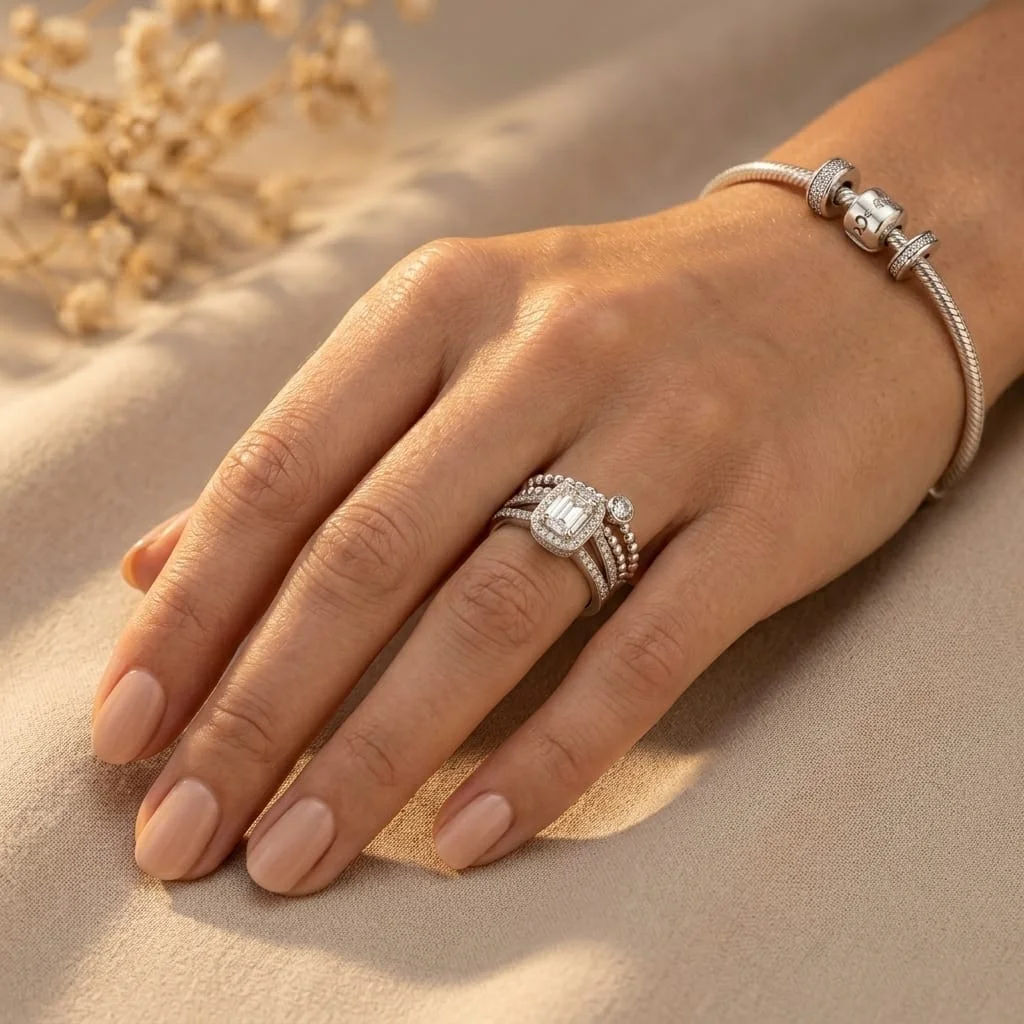
Once you have your clean packshot, you need to tell a story. Lifestyle photos place your ring in a context that speaks to your target customer's aspirations. This is where you build your brand's world. These images are less about technical perfection and more about mood and emotion. Common styles include Flatlays, where the ring is artfully arranged with complementary props like silk ribbons, botanical elements, or stationery. Another popular approach is the Styled Still Life, placing the ring on a textured surface like marble, slate, or wood to evoke a specific feeling—luxury, rustic, minimalist. While tools like Canva or Photoroom can place your ring on a stock photo background, a dedicated jewelry AI like Hylo understands the physics of light and shadow, creating a realistic scene where the ring truly belongs.
3. The Conversion Drivers: On-Model & Detail Shots
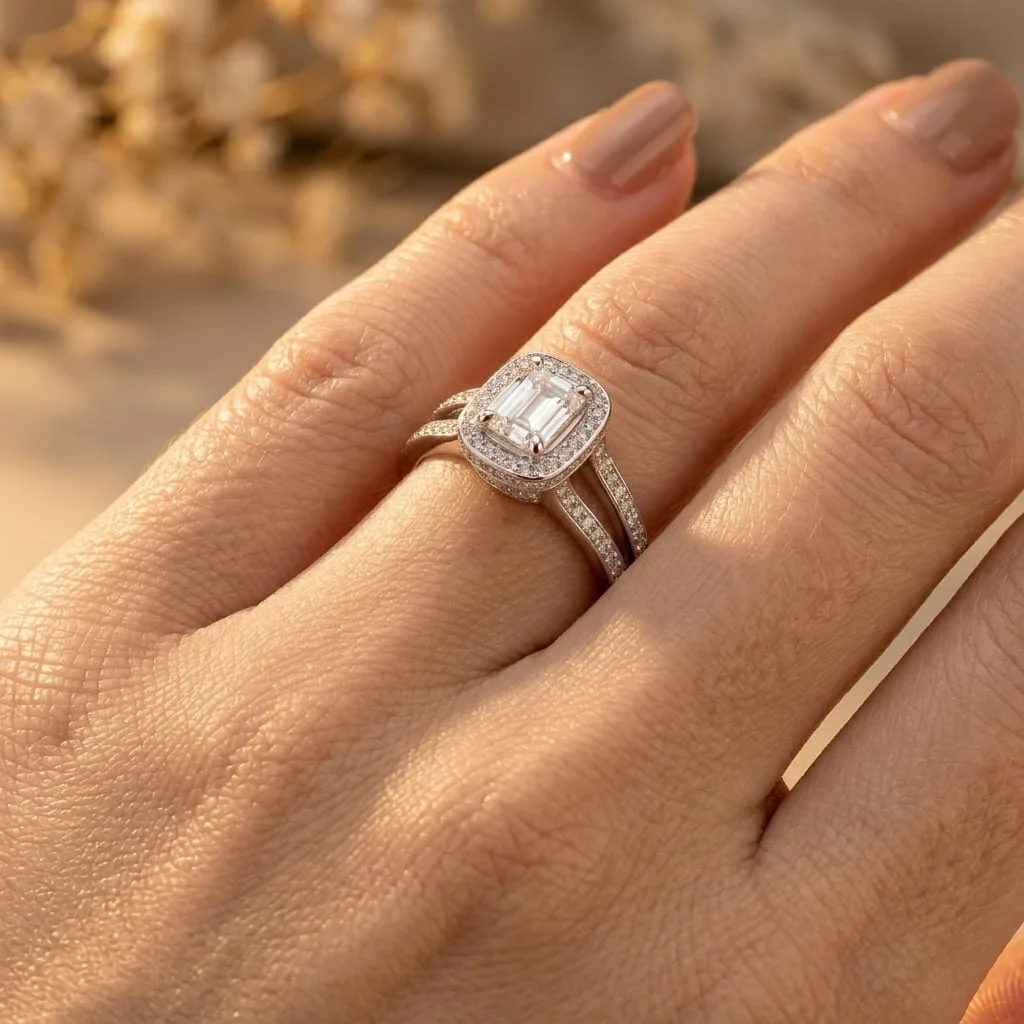
These images are crucial for closing the sale. They answer the two most important questions a customer has: "How big is it really?" and "What is the quality like up close?" On-Model shots, typically showing the ring on a hand, are the single best way to communicate scale. They help customers visualize the piece on their own body, dramatically reducing uncertainty and the likelihood of a return. You can generate a variety of hand models to match your brand's target demographic. The final piece of the puzzle is the Macro shot. This is an extreme close-up that highlights the craftsmanship you’re proud of—the delicate milgrain on a vintage-style band, the secure bezel setting around a cabochon, or the fire within a diamond. It’s your visual proof of quality, justifying your price and building immense trust with the discerning customer.
Building a Complete Product Listing with AI Photos
Let's walk through a real-world example: launching a new 1.5-carat oval-cut moissanite engagement ring with a hidden halo on a yellow gold pavé band. A single photo is not enough. To maximize conversion, you need a sequence of 5-7 images that tells a complete story.
Here’s a proven workflow using AI:
-
Start with a Clean Source Photo: Place the ring on a simple, non-reflective white surface. Use your smartphone to take a clear, well-lit photo from a top-down or slightly angled perspective. This single image will be the foundation for everything else.
-
Generate the Main Image (The Packshot): Upload your source photo to Hylo. Your first generation should be for your primary e-commerce image. Use
AI Photoshootto create a classic Product-on-White. Generate a few options—front-facing, angled, side-profile—and select the crispest one. UseAI Retouchto ensure the metal is bright, the stone is brilliant, and the background is pure white. This is your Image #1, destined for Amazon, Etsy, and the main slot on your Shopify page. -
Create Context with a Lifestyle Shot: Now, create an aspirational shot. Using the same source photo, change your prompt. Generate the ring on a soft, textured surface that matches your brand. A prompt like, "A 1.5ct oval engagement ring on a bed of white silk, with soft morning light" can produce a beautiful, romantic image. This becomes your Image #2 or #3, perfect for breaking up the sterile look of packshots and adding a touch of brand personality.
-
Show Scale with an On-Model Image: This is non-negotiable for rings. Use an AI model that reflects your target customer. You can generate the ring on a hand, showing how it sits on the finger. This instantly answers the customer's question about size and proportion. For an engagement ring, showing it on a left hand is a powerful visual cue. This is your Image #4, and it's often the one that seals the deal.
-
Highlight Craftsmanship with a Macro Shot: Go back to your original source photo. Use AI to generate an extreme close-up of the hidden halo and the pavé diamonds on the band. This shot isn't about the overall ring; it's about the details the customer can't see in a wider shot. It screams quality and justifies a premium price. This is your Image #5.
-
Add a Pairing or Stack Shot (Optional but Recommended): To encourage up-sells, generate one final image showing the engagement ring paired with a matching wedding band. This plants the seed for a future purchase and shows customers how your pieces work together as a set.
By following this sequence, you’ve taken a single phone photo and created a comprehensive, high-converting product gallery in under an hour, a process that would have previously required a multi-day shoot and thousands of dollars.
Common Mistakes to Avoid with AI Ring Photos
AI is a powerful tool, but it's not magic. The quality of your output depends on a thoughtful approach. Here are common mistakes jewelry brands make and how to fix them.
-
Mistake 1: Using a Poor-Quality Source Photo. The AI can only work with the information you give it. A blurry, poorly lit, or low-resolution photo of your ring will result in a soft, unrealistic AI generation. The reflections will be muddy and the details will be lost. The Fix: Always start with a sharp, clear photo taken in bright, diffused light. A simple light box or even a spot near a window with a white piece of paper as a reflector will work. Ensure the ring is in focus. A great source image is 90% of the battle.
-
Mistake 2: Inconsistent Branding and Lighting. It's easy to get excited and generate dozens of different styles. But if your product page for a solitaire ring shows it on a dark marble slab and your page for a three-stone ring shows it on a sunny beach, your brand looks disjointed and unprofessional. The Fix: Use a tool with brand consistency features. In Hylo, the
Brand Kitallows you to save your preferred backgrounds, lighting styles, and props. Apply this kit to every new product to ensure your entire collection shares a cohesive visual language. Consistency builds trust and makes your brand look more established. -
Mistake 3: Over-Relying on Fantasy Backgrounds. AI can place your ring on a mountaintop at sunset or inside a blooming rose. While technically impressive, these fantastical scenes can look cheap and distract from the product itself. They often scream "AI-generated" and can erode customer trust. The Fix: Focus on realism and brand alignment. The best AI backgrounds are the ones that look like they could have been shot in a real studio. Stick to plausible surfaces like stone, wood, fabric, and simple geometric props. The goal is to enhance the ring, not overpower it.
-
Mistake 4: Forgetting the Human Element. A gallery full of floating, sterile product shots can feel cold and impersonal. Customers, especially for an emotional purchase like a ring, want to see how the piece looks in the real world and on a person. The Fix: Always include at least one on-model shot in your image gallery. Showing the ring on a hand provides critical context for size and scale. It bridges the gap between the digital and physical worlds, helping the customer imagine themselves wearing the piece. This is often the most persuasive image in the entire set.
