
Quick Verdict: Editorial vs. E-Commerce Scale
When evaluating AI photography tools in 2026, generalized benchmarks fail to capture the physics required for jewelry. We tested both Photta and Hylo on 50 challenging SKUs (including 1mm cable chains and halo-set engagement rings) to determine which tool truly handles high-end commercial requirements.
The Verdict:
- Choose Photta if you are a creative director who needs to generate one-off, hyper-realistic images of virtual models wearing your jewelry for a seasonal lookbook.
- Choose Hylo if you are an e-commerce operator who needs to process hundreds of SKUs for Shopify or Amazon, requiring perfect background consistency and zero distortion of the physical product.
At-A-Glance Feature Comparison
| Capability | Hylo (Jewelry-Specific) | Photta (Generalized) |
|---|---|---|
| Model Architecture | Proprietary Jewelry Physics Engine | Generalized Latent Diffusion |
| Prong & Chain Preservation | ✅ Flawless (Sub-millimeter accuracy) | ⚠️ Prone to 'melting' thin metals |
| Gemstone Scintillation | ✅ Physics-accurate light dispersion | ❌ Often renders diamonds like glass |
| Catalog Consistency | ✅ Automated via Brand Kit | ⚠️ Requires complex prompt engineering |
| Marketplace Compliance | ✅ 1-click Amazon/Etsy/Shopify presets | ❌ Manual editing required |
| Virtual Human Models | ⚠️ Basic generation | ✅ Industry-leading skin textures |
| Starting Price | $9/month | $15/month |
Deep Dive: Where Photta Dominates
Photta is arguably the most powerful AI image generator on the market for rendering human features. Its underlying model has been heavily fine-tuned on portrait photography.
1. Hyper-Realistic Lifestyle Modeling
If your marketing strategy relies on showing jewelry being worn by models, Photta excels. It can generate flawless skin textures, accurate human anatomy (even hands, a traditional weakness of AI), and complex editorial lighting.

2. Creative Flexibility
Because it is a prompt-driven generative tool, Photta offers infinite creative flexibility. If you want to place your necklace on a model standing in a futuristic cyberpunk city, Photta can render that environment instantly. This makes it an invaluable tool for social media managers and creative directors running conceptual ad campaigns.
Deep Dive: Where Hylo Dominates
Hylo strips away the infinite (and often chaotic) possibilities of prompt-based AI and replaces them with strict, operational control designed specifically for jewelry retailers.
1. Structural Physics Preservation
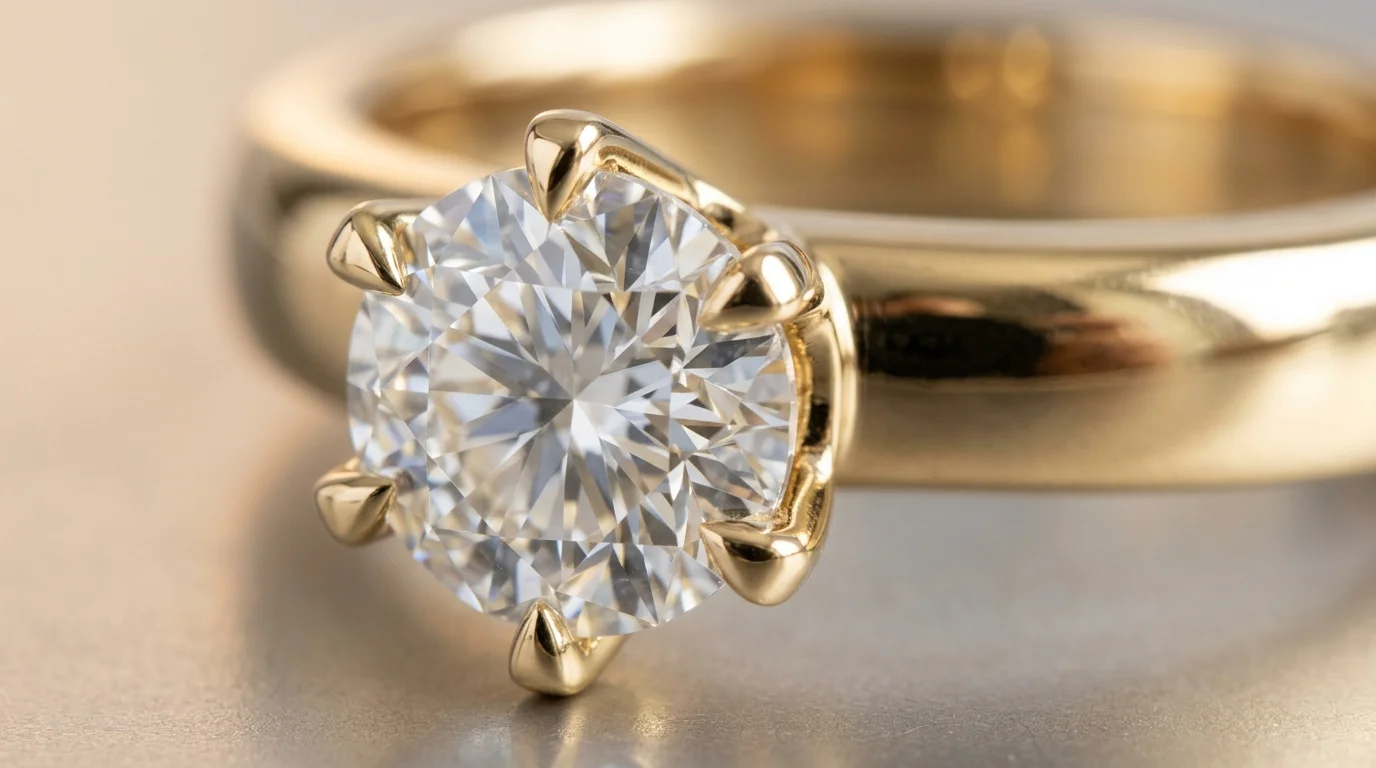
Generalized models like Photta operate via diffusion—meaning they 'guess' how pixels should look based on their training data. When tasked with a 1mm gold prong holding a 0.5ct diamond, generalized models frequently blur or 'melt' the metal into the background.
Hylo bypasses this entirely using a specialized masking engine. In our 50-SKU test, Hylo preserved the exact structural integrity of 100% of the pieces, guaranteeing the final image is a legally accurate representation of the physical product being sold.
2. Algorithmic Brand Consistency
Maintaining visual consistency across a 500-SKU Shopify catalog is critical for conversion rates.
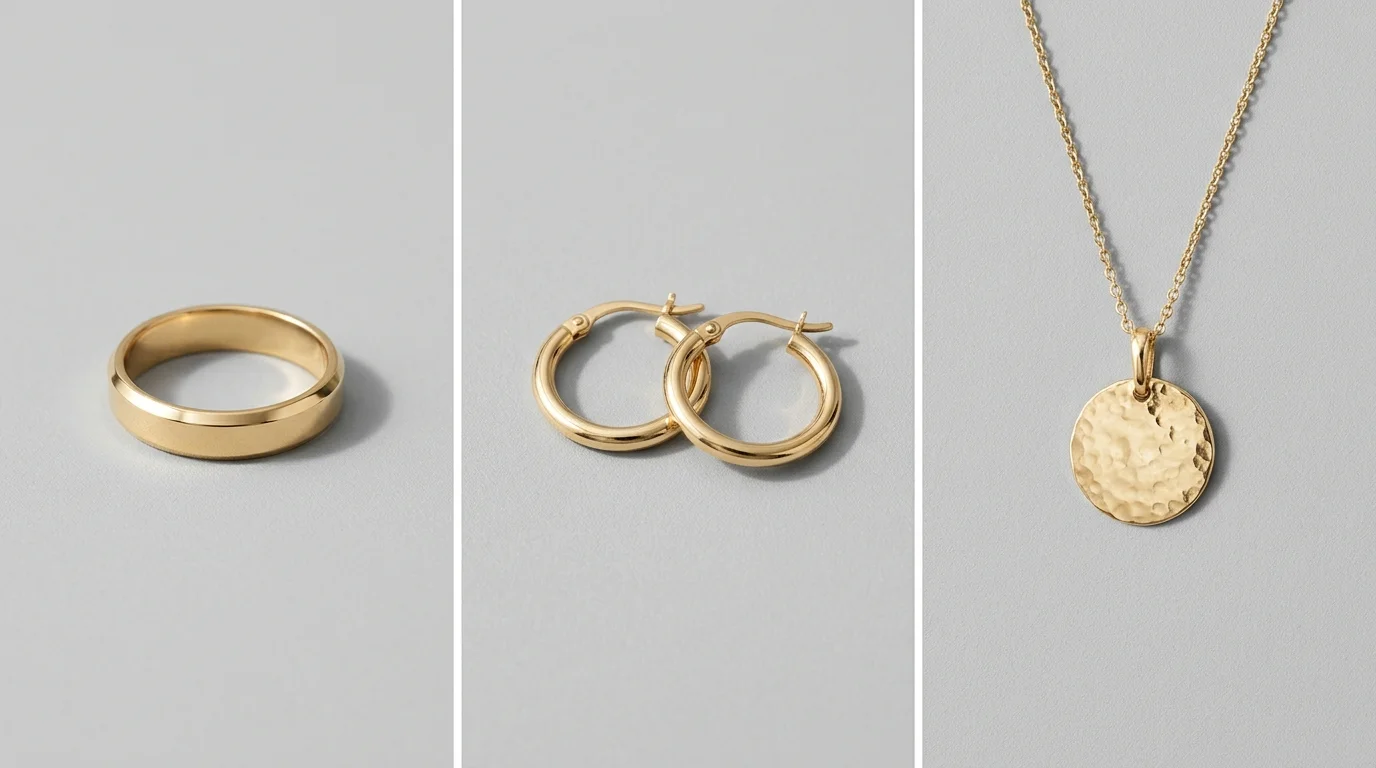
With Photta, achieving identical lighting across 50 different prompts is nearly impossible. Hylo solves this with its Brand Kit. You define the exact background hex code (e.g., #FFFFFF), camera angle, and shadow intensity once. Hylo applies this mathematical formula to every image you upload, ensuring your collection grid looks like it was shot in the same $10,000 studio on the same day.
3. Automated Marketplace Compliance
Amazon Handmade requires a pure white (RGB 255,255,255) background with the product filling 85% of the frame. Etsy prefers a 2000x2000 square crop.
Hylo includes built-in export presets for these marketplaces. It automatically scales, centers, and formats the image, eliminating hours of manual Photoshop labor that would be required after generating an image in Photta.
The Technical Conclusion
If you are selling a narrative, buy Photta. If you are selling physical jewelry at scale, buy Hylo.
We recommend implementing a hybrid workflow: Use Hylo to process your entire product catalog for Shopify, Amazon, and Etsy to ensure compliance and structural accuracy. Then, use Photta to generate 2 or 3 high-impact lifestyle hero images for your Instagram ads.
