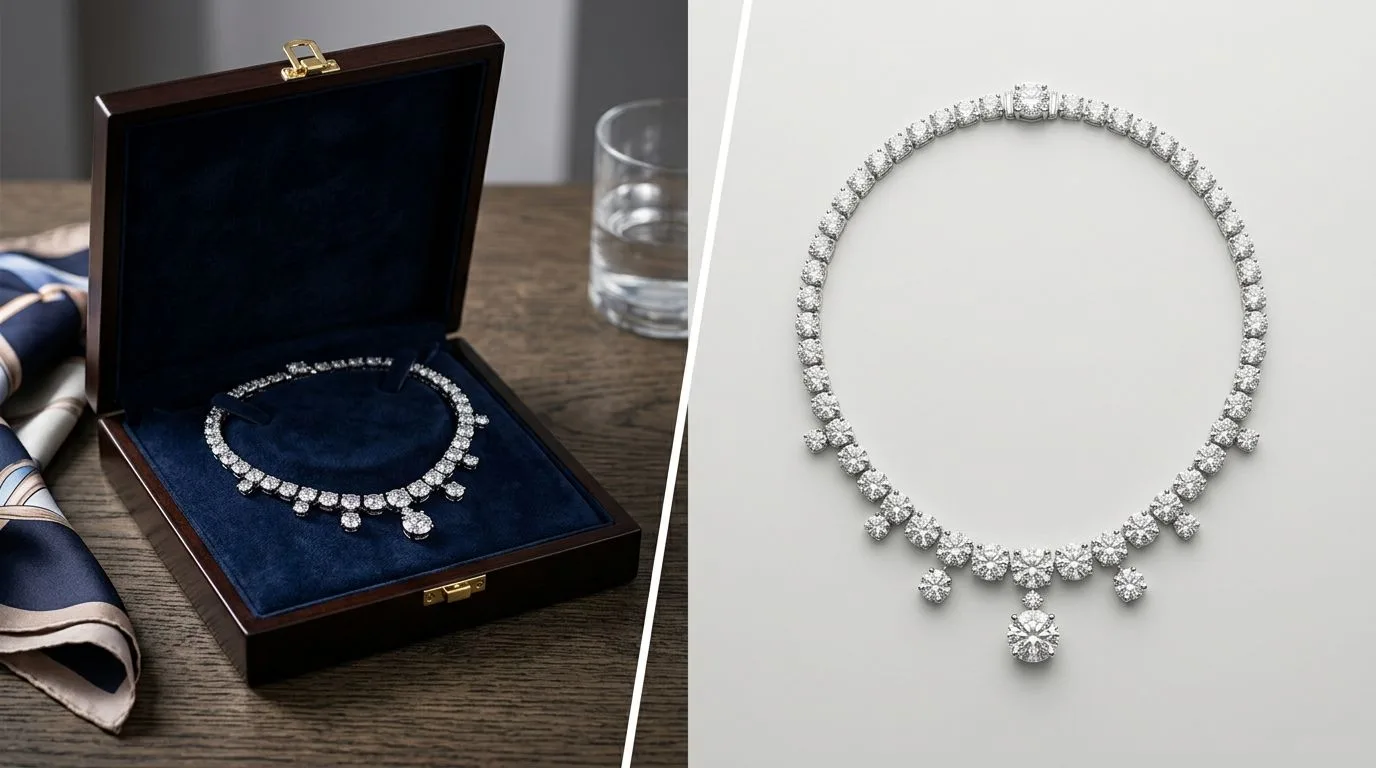
Quick Verdict: Which Booth Alternative is Right for You?
Booth.ai is a capable and popular AI image generator for general ecommerce. If you sell a wide mix of products like apparel, candles, and home goods, it's a fast and accessible choice. However, when it comes to jewelry, generalist tools often struggle with the specifics: metallic reflections, gemstone transparency, and the fine details of prong settings or delicate chains.
For jewelry brands, the choice depends on your business stage and priorities:
- For the solo designer or hobbyist: Booth's free tier is a great starting point for creating your first product shots with zero budget. It gets your designs online quickly.
- For the growing DTC brand: Hylo is the clear winner. Its
Brand Kitfeature ensures every photo—from your Shopify homepage to your Instagram feed—is perfectly consistent, building a premium, trustworthy brand image. - For the high-volume Etsy or Amazon seller: Hylo's bulk processing and specialized model provide a competitive edge. It creates scroll-stopping lifestyle images that look professional and unique, helping you stand out in a crowded marketplace.
- For the wholesale supplier: Hylo is built for creating professional linesheets. The ability to lock in a perfect, repeatable on-white background for hundreds of SKUs is a workflow game-changer.
In short: Use Booth if you're a generalist on a tight budget. Choose Hylo if you're a serious jewelry brand who needs professional, consistent results that replace a traditional photographer.
At-a-Glance Comparison: Hylo vs. Booth vs. The Field
When evaluating AI photography tools, the devil is in the details. A feature that works for a t-shirt brand might fail completely for a pavé diamond ring. Here’s how the leading Booth alternatives stack up on the features that matter most to jewelry businesses.
| Feature | Hylo | Booth.ai | Pebblely | Flair | Photoroom |
|---|---|---|---|---|---|
| Jewelry-Tuned AI Model | ✅ Yes, specialized | ❌ No, generalist | ❌ No, generalist | ❌ No, generalist | ❌ No, generalist |
| Brand Consistency | ✅ Excellent (Brand Kit) | ⚠️ Fair (Manual) | ⚠️ Fair (Manual) | ✅ Good (Style Boards) | ❌ Poor |
| Bulk Processing | ✅ Yes | ✅ Yes | ✅ Yes | ✅ Yes | ✅ Yes |
| Max Export Quality | 4K Resolution | 2K Resolution | 2K Resolution | 4K Resolution | 4K Resolution |
| AI Retouching | ✅ Yes, built-in | ❌ No | ❌ No | ❌ No | ✅ Yes |
| Marketplace Presets | ✅ Yes | ❌ No | ✅ Yes | ❌ No | ✅ Yes |
| Free Tier | ✅ Yes (20 credits) | ✅ Yes (40 credits) | ✅ Yes (40 images) | ✅ Yes (30 images) | ✅ Yes (Watermarked) |
| Pricing (Starter Paid Plan) | $49/mo (300 credits) | $29/mo (300 credits) | $19/mo (1000 images) | $10/mo (100 images) | $9.99/mo |
Where Booth Wins
To make an informed choice, it's crucial to acknowledge where Booth excels. No tool is perfect for everyone, and Booth has clear strengths that make it the right choice for certain users.
1. Simplicity and Speed for General Products
Booth's user interface is incredibly straightforward. You upload a photo, type a prompt, and get results in seconds. If you're a merchant selling a diverse inventory—for example, jewelry alongside scarves, handbags, and candles—Booth is a workhorse. It doesn't require you to think deeply about lighting models or camera angles. Its strength lies in its speed and ease of use for non-specialized products, making it a great all-rounder for a general store.
2. Broad and Highly Stylized Template Library
If your goal is to create eye-catching, highly stylized images for social media, Booth's template library is extensive. It offers a wide range of creative, often fantastical scenes that can make a product pop in a feed. For a brand that prioritizes a more illustrative or graphic style over photorealism, Booth provides a vast playground of options that can be faster than starting from a blank prompt.
3. A Generous Free Tier
Booth offers one of the more generous free plans, providing 40 credits upon signup. This is often enough for a new designer to photograph their initial 5-10 piece collection for an Etsy launch. For anyone starting with zero budget, this accessibility is a major advantage. It allows you to get your products online and start making sales before investing in a paid tool.
Where Hylo Wins for Jewelry Brands
While Booth is a capable generalist, Hylo was built by jewelry industry veterans to solve the specific, frustrating problems that jewelry brands face with photography. This specialized focus gives it a decisive edge in several key areas.
1. The Jewelry-Specific AI Model: Getting the Details Right
This is the single most important differentiator. Hylo's AI was trained for thousands of hours exclusively on jewelry. This means it understands the physics of light on metal and gemstones.
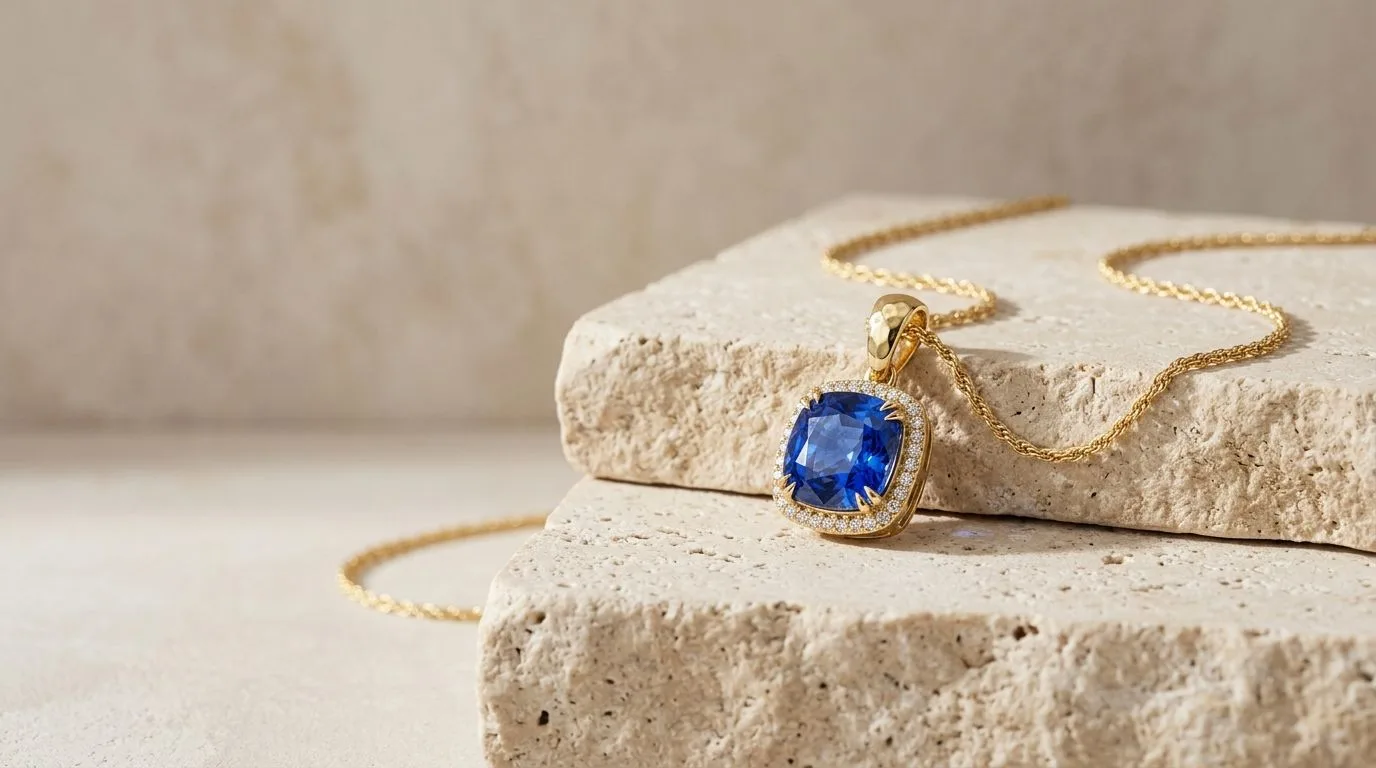
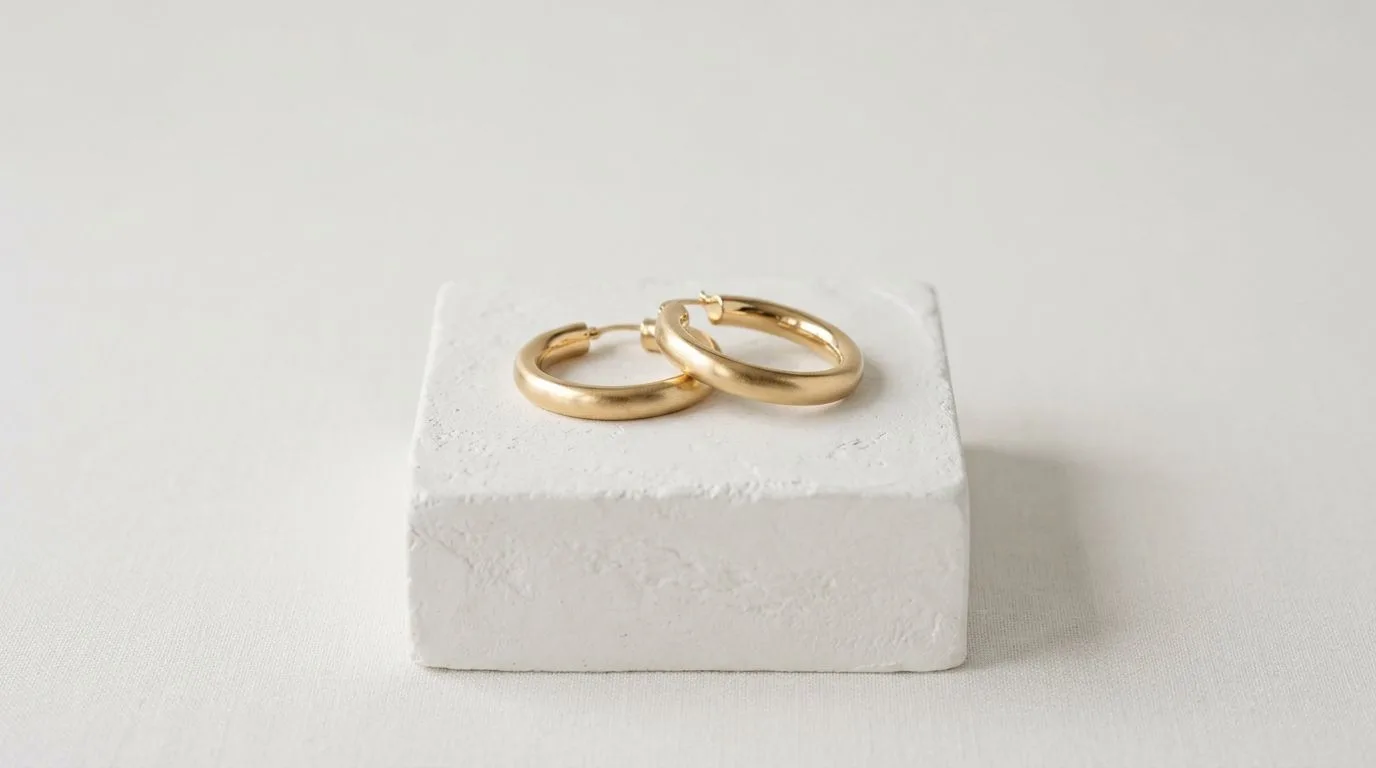
- Metal Reflections: Generalist models often create bizarre, warped, or smudged reflections on gold and silver. Hylo renders clean, realistic reflections that accurately represent the product's finish.
- Gemstone Facets and Transparency: Where other AIs might render a diamond as an opaque, plastic-like blob, Hylo captures the fire and brilliance of a well-cut stone. It understands transparency, allowing the background to subtly show through colored gems like emeralds and sapphires.
- Fine Details: Hylo preserves the integrity of the most delicate parts of your jewelry. Thin cable chains remain sharp and distinct, tiny pavé diamonds don't blur together, and delicate prong settings are rendered with crisp precision.
2. Unmatched Brand Consistency with Brand Kit
Running a successful brand requires a consistent visual identity. Hylo's Brand Kit is designed for this. You can define and save your exact lighting setup, camera angles, shadow density, and background surfaces. When you shoot a new collection three months later, you can apply your Brand Kit with one click.
This ensures your 1-carat solitaire ring and your 3-carat tennis necklace look like they were shot by the same photographer in the same studio on the same day. This level of consistency is impossible to achieve with prompt-based tools like Booth, where every generation is a slight variation. It's the difference between a random collection of images and a professional, cohesive brand catalog.
3. Professional-Grade Output and Retouching
Your product photos need to work everywhere, from a tiny Instagram thumbnail to a full-screen hero image on your website. Hylo exports in 4K resolution, providing the detail needed for pinch-to-zoom on Shopify and even for print linesheets. Furthermore, the built-in AI Retouch tool is a lifesaver. It automatically removes the tiny specks of dust, fingerprints, and minor scratches that are inevitable in jewelry macro photography, saving you hours in Photoshop.
4. A Workflow Built for High-Volume Production
Serious brands don't shoot one product at a time. They shoot entire collections. Hylo is built for this workflow. You can upload dozens of images and apply the same scene to all of them in a batch. You can save your favorite scenes to a Creative Library to reuse later. This transforms photography from a creative bottleneck into a streamlined production process, allowing you to get new products listed faster.
Which Brands Should Pick Booth, and Which Should Pick Hylo?
Let's move from features to real-world scenarios. Here’s how to choose the right tool for your specific business.
-
Scenario: The Multi-Product Artisan on Etsy
- Profile: Sells handmade jewelry, but also screen-printed t-shirts and ceramic mugs. Their brand is eclectic and creative, not necessarily uniform and premium.
- Recommendation: Booth. Their primary need is a fast, easy way to get clean backgrounds for a wide variety of product types. The subtle inaccuracies in jewelry rendering are an acceptable trade-off for the versatility and speed Booth offers for their entire product range.
-
Scenario: The DTC Fine Jewelry Brand
- Profile: Sells 14k gold and diamond engagement rings, with an average order value of $1,500. Their brand perception is built on trust, luxury, and quality.
- Recommendation: Hylo. For this brand, photorealism isn't a bonus; it's a requirement. Customers need to see the exact faceting of the diamond and the true color of the gold. Hylo's
Brand Kitis essential for creating the cohesive, high-end look their Shopify store needs to convert browsers into buyers.
-
Scenario: The Designer Testing a New Collection
- Profile: A jewelry designer with 10 new experimental pieces. They aren't sure which will sell and have a very limited budget for marketing.
- Recommendation: Start with Booth's free tier. It's the perfect no-risk tool to get initial product photos for social media polls and to show to early customers. Once they have market validation and are ready to invest in building a real brand around the winning designs, they should migrate to Hylo for a professional launch.
-
Scenario: The Wholesale Brand Creating a Linesheet
- Profile: They sell hundreds of SKUs to retail boutiques and need to produce a seasonal catalog with perfectly uniform product shots on a white background.
- Recommendation: Hylo. The task here is pure production efficiency and consistency. With Hylo, they can create one perfect "on-white" scene in their
Brand Kitand apply it to 200 products in a single batch. The time savings compared to manually editing each photo or wrestling with prompts in a generalist tool are enormous.
How to A/B Test Hylo Against Booth, Risk-Free
Don't just take our word for it. The best way to choose is to compare the results on your own products. Here’s a simple, 15-minute test to see the difference for yourself.
-
Sign Up for Free: Create a free account on both Booth.ai and Hylo. You'll get free credits to run this test without any commitment.
-
Select 5 Key Products: Choose a representative sample of your jewelry. Make sure to include your most challenging pieces: a thin chain necklace, a ring with pavé stones, a piece with a large polished metal surface, and an item with a faceted gemstone.
-
Use the Same Source Photos: Take a clear, well-lit photo of each product on a neutral background with your smartphone. Use these exact same source images for both tools to ensure a fair comparison.
-
Generate in Both Tools: Upload your photos to Booth and use their prompts or templates to create your desired scenes. Then, upload the same photos to Hylo and use our
AI Photoshootfeature. Try creating a simple marble surface shot and a more complex lifestyle scene. -
Compare Side-by-Side: Place the outputs from both tools next to each other. Scrutinize the details:
- Is the chain on the necklace broken or complete?
- Are the pavé stones distinct points of light or a blurry texture?
- Does the reflection in the metal look natural or distorted?
- Does the gemstone look like glass or a precious stone?
-
Assess for Consistency: Now, look at all 5 images from Hylo together, and all 5 from Booth. Do they look like they belong to the same brand? Could you confidently place them next to each other on your website? This is where Hylo's
Brand Kitapproach truly shines.
With Hylo's free trial and 14-day money-back guarantee, you can run this test and fully explore the platform with zero risk.
