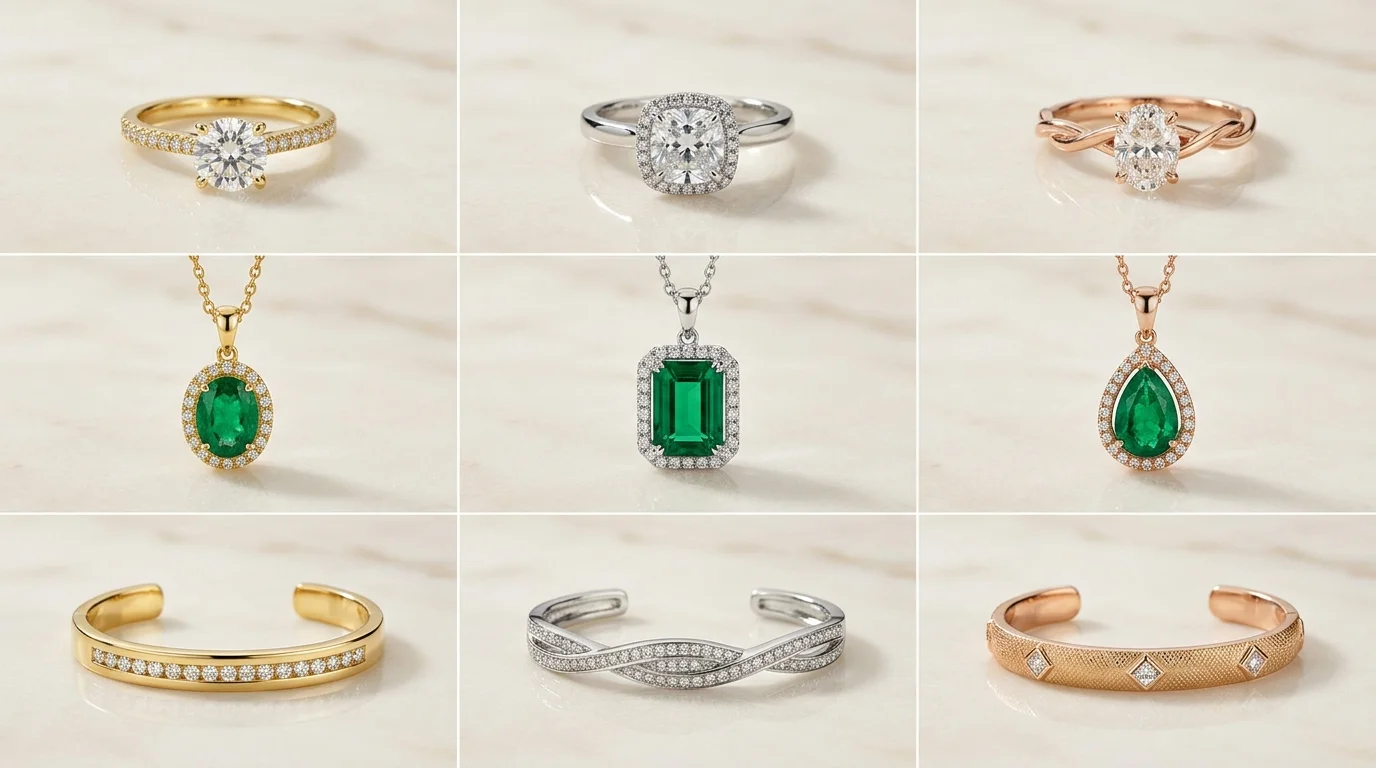
An AI product photograph often looks convincing for the first few seconds.
The image is crisp, the background setting is tasteful, and the jewelry appears professionally lit. If you saw it while scrolling quickly through an Instagram feed, you might assume it came from a high-end commercial photo studio.
Then something begins to feel wrong.
Over years of building commercial AI photography engines and analyzing thousands of product images across luxury jewelry, fine gemstones, and precious metals, one pattern appears consistently: most AI-generated jewelry images still look synthetic.
The light falling on a gold ring seems to originate from a completely different room than the light hitting the travertine tabletop beneath it. A diamond facet contains bright white reflections, but the geometry of those reflections contradicts the camera position. A heavy platinum pendant sits on linen fabric, yet its physical weight never quite arrives because there is no micro-occlusion shadow at the exact point of contact.
None of these errors is immediately dramatic. The piece of jewelry is recognizable, and the generated background may be visually stunning. However, while every individual detail appears plausible on its own, the photograph as a whole remains unconvincing to the human eye.
When applied across a commercial catalog, this problem multiplies. One ring photo may look acceptable in isolation. Twenty images across a Shopify collection reveal that the virtual studio is constantly changing: shadow direction drifts from left to right, 14k rose gold shifts toward copper, camera elevation moves by 15 degrees, and visual hierarchy jumps unpredictably from SKU to SKU.
The root issue is not merely that generative AI produces occasional visual artifacts. Traditional studio photography has minor imperfections as well. The deeper problem is that commercial jewelry photography must behave like a strict record of one coherent physical event.
Commercial Economics: Traditional Studio vs. Optical AI Shoot
Before diving into spatial lighting physics, jewelry brand owners and creative directors must evaluate the operational and financial impact of AI photography.
| Shoot Dimension | Traditional Commercial Studio | Hylo Optical AI Photoshoot |
|---|---|---|
| Cost Per SKU | $150 – $350 per item | $1.50 – $3.00 per item |
| Turnaround Time | 2 – 3 weeks | 2 minutes |
| Model Licensing Fees | $1,000 – $3,000 / day | Included instantly |
| Catalog Scalability (50 SKUs) | $7,500 – $15,000 | $75 – $150 |
| Metal Tone & Lighting Drift | Manual repositioning errors | Locked environment preset |
| Multi-Platform Adaptability | Requires separate reshoots | Instant 1:1, 4:5, 16:9 re-crop |
The Physics Problem: Why Synthetic Jewelry Renders Look Fake
A conventional photograph begins with a real scene. A physical object—such as a hand-crafted 18k yellow gold band with a bezel-set emerald—occupies a precise position in space. Light leaves one or more controlled light sources (such as a 40-inch softbox or a diffusion sheet), strikes the metal and gemstone, passes through translucent facet boundaries according to Snell's law of refraction:
[ n_1 \sin\theta_1 = n_2 \sin\theta_2 ]
bounces off surrounding black cards or white reflectors, and enters the camera lens. The sensor records the combined result of those optical interactions according to Fresnel reflection formulas.
An unconstrained image model works in the opposite direction. It produces pixels that statistically resemble the pixels found in its training data.
That distinction explains why general AI models struggle with luxury products. A model can easily draw a bright white streak along a ring's shank because highlights frequently appear on metal bands in photographs. It does not follow that the model has established an actual light source capable of producing that highlight, the corresponding cast shadow on the table, and the matching secondary reflection inside the ring's inner gallery rail.
Consider a polished platinum ring photographed on dark slate:
A plausible image might contain:
- A crisp vertical specular highlight running along the outer curve of the band;
- A soft, diffused shadow falling beneath the setting;
- Warm directional light highlighting the table surface;
- A cool rim light defining the top edge of the prongs.
Each feature is standard practice in commercial jewelry photography. Inspected alone, each detail looks correct.
However, these features carry physical implications about the studio setup. The vertical highlight implies a tall, narrow diffusion panel placed to the side. The soft shadow implies a large light source placed close to the product. The rim light requires a third light source positioned behind the ring.
If those implications disagree, the image loses physical coherence. Viewers do not need formal training in studio photography to sense the error. Humans spend a lifetime interpreting light to judge shape, distance, material density, and surface finish. We instantly recognize whether a surface is wet, whether an edge is sharp, and whether a metal band is solid 18k gold or painted plastic. Commercial photography relies entirely on this perceptual instinct.
Resolution Cannot Repair a Broken Scene
When AI jewelry renders fail, it is tempting to focus on resolution:
- Increasing prompt resolution from 1024px to 4K;
- Adding sharper micro-textures to background stone;
- Rendering sharper facets inside a solitaire stone;
- Requesting "ultra-detailed fine jewelry" in prompt strings.
These adjustments increase visual detail, but detail cannot fix a broken optical relationship. Realism depends less on the number of details than on whether the details agree with one another.
If a sterling silver bracelet casts a dark shadow to the right while its strongest specular highlights imply a key light coming from the right, adding more pixels simply makes the optical conflict clearer. If a gemstone appears transparent near its crown but opaque near its pavilion without a light source to explain the difference, higher clarity only highlights the flaw.
Reflective Metals and Gemstones Expose AI Weaknesses
Jewelry is notoriously difficult to capture—both in traditional studio setups and in AI generation—because metals and gemstones interact dynamically with their environment.
A matte ceramic vase communicates its form primarily through diffuse shading. A polished platinum or 22k yellow gold ring acts as a curved, compressed mirror of the room. Its surface reflects everything around it: diffusion panels, dark fill cards, ceiling boundaries, and nearby props.
In a commercial photo studio, photographers rarely light polished gold or silver directly. Instead, they build an environment for the metal to reflect. They place black foam boards (edge cards) beside the ring to create deep, dark lines that define the metal's outer edge, preventing it from washing out into pure white.
That reflection environment must remain continuous and physically accurate across:
- The outer polished shank;
- The inner band curve;
- Micro-prongs holding accent stones;
- Polished facet edges on gemstones;
- Mirror reflections on acrylic or polished stone tables;
- The ambient light falling on nearby props.
Generative models frequently copy the superficial appearance of these setups without establishing a single underlying environment. The result is often a mosaic of mismatched reflections—a bright highlight from a non-existent softbox paired with a shadow that contradicts it.
Gemstones double this complexity. A faceted diamond or sapphire involves simultaneous reflection, refraction, light absorption, internal total reflection, and caustic highlights cast onto the surrounding metal. A pavé setting repeats this optical calculation across dozens of tiny stones, each angled differently. A general image generator attempting to draw "a diamond ring" is implicitly being asked to calculate complex light transport while preserving the exact physical geometry of your product.
Surface Contact: The Small Detail That Establishes Weight
Objects in generic AI renders frequently look floating rather than grounded on a surface.
The common explanation is a missing shadow, but surface contact involves far more than placing a dark blur beneath an object. Where a physical piece of jewelry touches a surface, several micro-optical events occur simultaneously:
- Micro-occlusion: Ambient light is completely blocked at the exact point of contact, creating an extremely tight, dark line (ambient occlusion) before the broader cast shadow begins.
- Color bleeding: Highly reflective metals transfer their color hue onto nearby light surfaces (such as 18k yellow gold casting a warm amber glow onto white marble).
- Physical surface interaction: Heavy pendants press into soft linen folds; sharp ring shanks create micro-shadows on textured travertine.
When these subtle cues are missing, the jewelry appears pasted onto the background. When they are exaggerated, the item looks unnatural.
Category Masterclass: Mastering Every Jewelry Type
Different jewelry categories present distinct optical and geometric challenges when rendered with AI. A lighting setup that produces clean results for a heavy signet ring will fail when applied to a delicate filigree pendant or a multi-stone tennis bracelet.
To achieve commercial-grade realism, AI generation systems must apply category-specific spatial rules and optical controls.
How to Shoot Rings: Prongs, Bands, and Edge Control
Rings are the ultimate test for AI product photography. Because a ring shank curves continuously in three dimensions, it reflects every light source, reflector, and dark surface in the room.
-
Solitaire Rings and Bezel Settings:
- The Challenge: A single diamond or sapphire set in 18k yellow gold or platinum requires extreme facet clarity while avoiding blown-out highlights on the metal bezel.
- The Optical Rule: Use controlled edge cards (dark fill panels) positioned to the left and right of the camera axis. This creates two clean, dark vertical lines along the outer curve of the gold shank. Without edge cards, the metal shank merges with bright background light, erasing the ring's silhouette.
- AI Execution: Prompts and AI parameters must explicitly define specular contrast boundaries rather than relying on generic terms like "shiny gold."
-
Pavé Bands and Multi-Stone Settings:
- The Challenge: Pavé bands contain dozens of micro-prongs holding tiny round brilliant diamonds. Unconstrained generative models often melt these micro-prongs together, resulting in a continuous, blob-like sparkle instead of individual stone settings.
- The Optical Rule: Enforce high-frequency edge isolation. Micro-prongs must cast micro-shadows into the recessed channels between stones.
- AI Execution: Maintain strict identity locking on the physical reference image so the AI does not recalculate stone counts or prong arrangements.
-
Signet and Wide Metal Rings:
- The Challenge: Broad, flat metal surfaces (such as brushed 22k yellow gold or polished sterling silver signets) act like mirrors. If the virtual studio lacks texture, the face of the ring looks flat and lifeless.
- The Optical Rule: Introduce gradient reflection cards. A soft gradient transitioning from neutral gray to deep charcoal across the flat face of the signet communicates weight and surface polish.
How to Shoot Necklaces & Pendants: Drape Physics and Chain Detail
Necklaces introduce structural complexity because they consist of two distinct elements: a rigid or semi-flexible pendant and a highly articulated chain.
-
Chain Links (Cable, Curb, Rope, Box Chains):
- The Challenge: Fine gold or sterling silver chains (0.8mm to 1.5mm gauge) easily turn into blurry lines or distorted mesh patterns when generated by standard AI models.
- The Optical Rule: Maintain physical chain gauge fidelity. Every individual link must exhibit specular highlight points along its upper curve and micro-occlusion shadows where it overlaps adjacent links.
- AI Execution: The AI system must distinguish between the main pendant (primary focal subject) and the chain (secondary structural element), keeping the chain within a realistic depth-of-field envelope.
-
Pendant Hang Dynamics:
- The Challenge: When a pendant is photographed hanging on a bust versus lying flat, gravity affects how light strikes the bail (the loop connecting pendant to chain). Generic AI renders often display pendants floating at unnatural angles relative to the chain.
- The Optical Rule: Align the pendant’s center of gravity with the chain's V-angle. The bail must show physical contact with the chain, including micro-reflections transferred between the gold bail and the chain wire.
How to Shoot Earrings & Bracelets: Symmetry and Link Articulation
-
Earring Pairs (Studs, Drops, Jhumkas, Hoops):
- The Challenge: When generating pair shots, general AI models frequently make the left earring look subtly different from the right earring—altering gemstone color saturation, prong thickness, or drop length.
- The Optical Rule: Enforce symmetrical reflection mapping. Both earrings must reflect a shared environment while maintaining correct perspective shifts based on their relative distance from the virtual camera lens.
-
Tennis Bracelets and Bangle Stacks:
- The Challenge: A tennis bracelet resting on a surface creates dozens of contact points. If the AI fails to calculate individual contact shadows under each stone setting, the bracelet appears to hover above the tabletop.
- The Optical Rule: Apply continuous contact shadow occlusion along the entire length of the articulated band.
Shoot Modes: AI Flat Lays vs. On-Model AI Photography
Commercial jewelry photography relies on two primary visual formats: Flat Lay (Still Life) for clean product presentation, and On-Model (Lifestyle) for scale, context, and emotional resonance.
AI Flat Lay Jewelry Photography: Props, Surfaces, and Composition Systems
Flat lay photography is the backbone of e-commerce storefronts, Etsy listings, and wholesale line sheets. It allows customers to inspect craftsmanship, stone clarity, and surface texture without distraction.
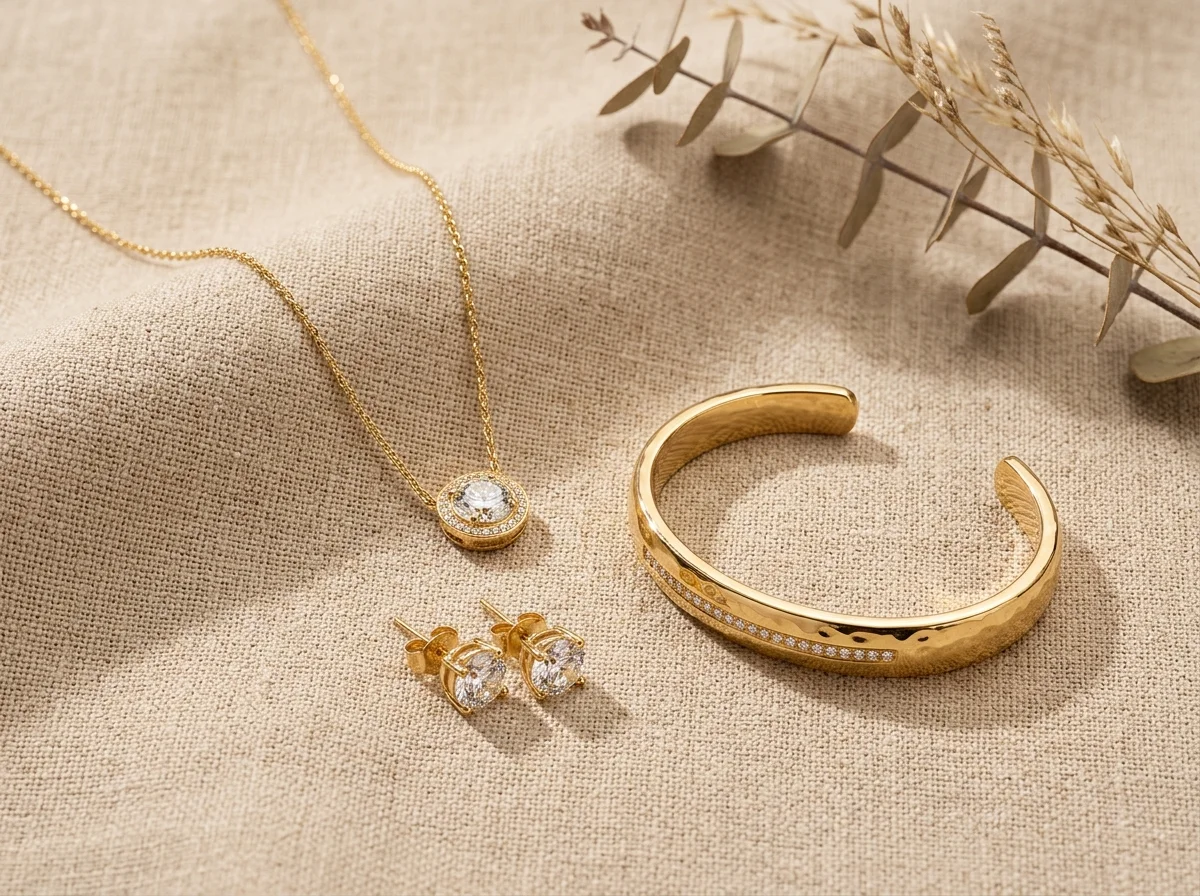
-
Background Surface Selection:
- Travertine & Natural Stone: Adds subtle tactile depth for organic, artisanal 18k gold pieces. The surface texture must remain low-contrast so it does not compete with delicate metal engraving.
- Raw Linen & Silk: Excellent for fine silver and rose gold necklaces. The AI must render realistic fabric compression where the weight of the necklace rests on the textile weave.
- Polished Acrylic & Dark Slate: Delivers high-end luxury contrast. Requires mirror reflection control so the reflection beneath the product matches the exact angle of the item.
-
Prop Hierarchy Rules: A frequent mistake in AI-generated flat lays is letting props overpower the product. If a ceramic dish, dried botanical branch, or ring box carries higher contrast or sharper detail than the jewelry piece, customer attention is split.
- Rule of Composition: Props must occupy less than 15% of total frame area, maintain lower color saturation than the primary metal, and sit slightly out of the primary focal plane.
-
Camera Elevation Standards:
- 90° Overhead (True Top-Down): Ideal for flat lay necklaces, bracelet arrangements, and multi-piece sets. Eliminates perspective distortion across the frame.
- 45° Isometric Elevation: Ideal for rings and stud earrings, revealing both the top stone crown and the side gallery rail profile in a single shot.
On-Model AI Photography: Skin Tone Contrast, Scale, and Realism
On-model photography converts browsers into buyers by answering critical purchase questions: How big is this stone on a real hand? How far does this pendant hang on a neckline?
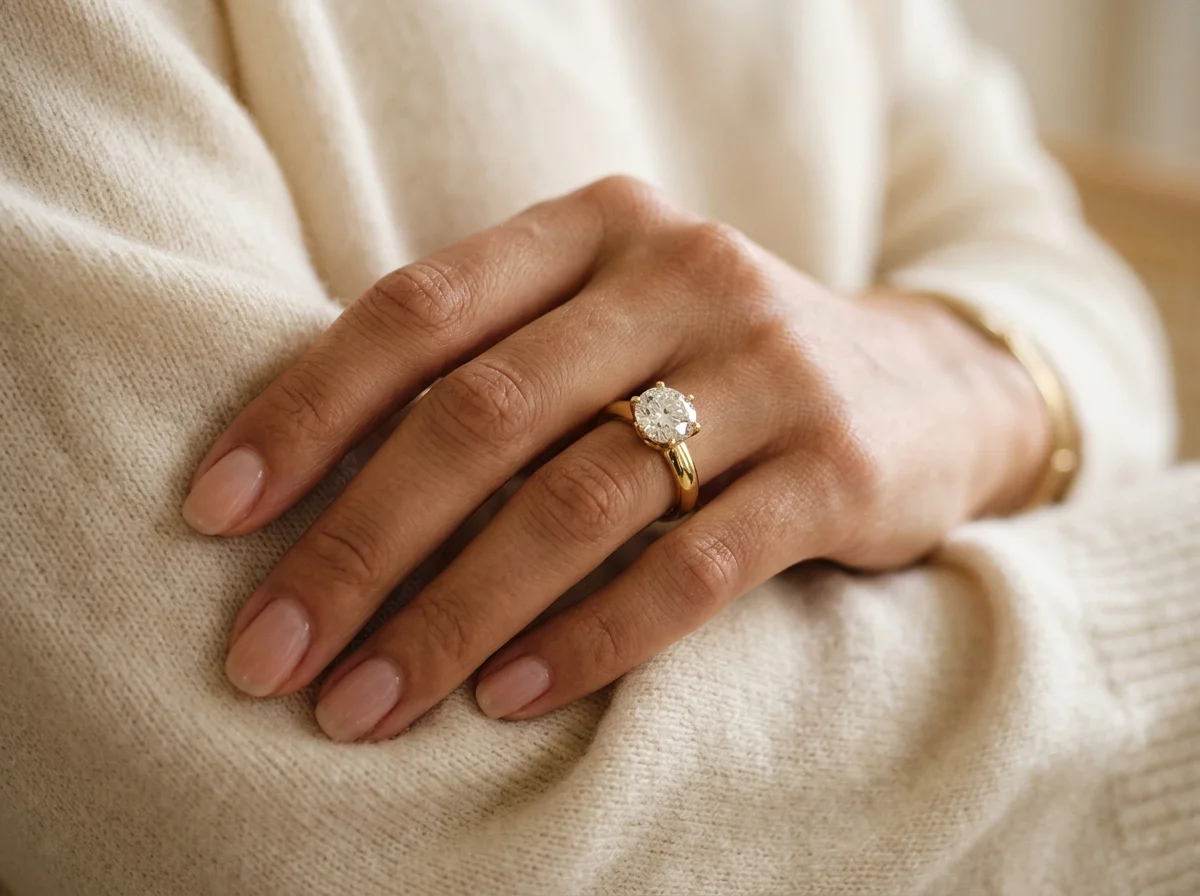
Traditionally, on-model jewelry shoots require hiring models, booking studio time, managing hair and makeup artists, and handling complex lighting for both skin and metal simultaneously. Specialized AI photoshoot tools allow brands to generate authentic on-model visuals from simple product photos.
-
Skin-to-Metal Light Bouncing: When a gold ring rests on a finger, light does not stop at the metal boundary. Warm yellow gold reflects warm light onto adjacent skin, while soft skin tones bounce warm ambient light back into the polished underside of the ring. Generic AI generators treat skin and metal as separate cutouts. Specialized optical AI calculates this mutual color bounce, embedding the jewelry naturally into the model shot.
-
Proportion and Scale Calibration: A common issue in unconstrained AI model generation is scale inflation—where a 0.5-carat diamond solitaire ring suddenly appears like a 3-carat stone on the model’s hand, or a delicate 16-inch necklace stretches into a 20-inch chain.
- The Solution: Lock product dimensions during generation. The AI system uses the original reference product image to enforce exact physical scale relative to model anatomy (fingers, collarbones, earlobes).
-
Facial Dominance vs. Product Focus: In jewelry photography, the model supports the product—not the other way around. In a crop focusing on a gold drop earring, the model’s jawline, neck, and lower ear should be rendered in soft, warm focus, ensuring the viewer's eye goes immediately to the earring's facet details.
8-Step System for Commercial AI Jewelry Photos
To consistently generate studio-grade AI jewelry photographs that protect product identity and pass commercial review, follow this structured 8-step production pipeline.
Step 1: Capture High-Fidelity Reference Assets (Focus Stacking & Macro)
Begin with a clean, high-resolution source image of the physical piece of jewelry. Use an 85mm or 105mm macro lens with an aperture between f/8 and f/11 (or mobile ProRAW macro mode with focus stacking via Lightroom or Helicon Focus) to ensure the entire piece from front prongs to inner shank is in pin-sharp focus.
- Key Requirement: Avoid harsh direct flash that creates blown-out white patches on metal shanks or stone crowns.
Step 2: Isolate Product Identity
Before generating background scenes or model environments, isolate the physical product boundaries. The goal is to separate the immutable product attributes (silhouette, prong count, stone placement, metal color, hallmark engravings) from the ambient environment.
- Key Requirement: Lock the product mask. The AI system must treat the product as a fixed physical entity rather than an artistic suggestion.
Step 3: Define Spatial Light Mapping
Instead of using vague mood descriptors like "luxurious soft lighting," define the exact key, fill, and shadow geometry for the virtual scene.
- Key Requirement: Establish one primary directional key light (such as a large softbox positioned at 45 degrees camera-left) and a secondary fill light at 30% intensity on camera-right.
Step 4: Map Specular Reflection Geometry
For polished metals (such as platinum, 22k yellow gold, or sterling silver), explicitly define what the metal surface should reflect.
- Key Requirement: Specify dual vertical black edge cards to define the outer contours of the metal shanks and prevent washed-out highlights.
Step 5: Configure Surface Contact & Occlusion
Ensure the product establishes physical contact weight on the chosen background material (such as raw travertine stone, dark slate, or beige linen).
- Key Requirement: Require micro-ambient occlusion shadows directly beneath the contact points of the ring shank, pendant base, or earring drop.
Step 6: Execute Category-Specific Shoot (Flat Lay vs. On-Model)
Select the desired shoot mode using dedicated tools like ai photoshoot in Hylo.
- Flat Lay Mode: Choose background materials, secondary props (such as a silk ribbon or minimal stone slab), and camera angle (90° overhead or 45° isometric).
- On-Model Mode: Select model hand, neck, or ear demographics, skin tone contrast, wardrobe texture (such as a cream cashmere sweater or silk blouse), and focal depth.
Step 7: Enforce Negative Constraints
Prevent general AI model hallucinations by applying strict negative constraint rules. Explicitly prohibit modifications to core product geometry.
- Negative Constraints: Do not alter stone count, do not modify prong architecture, do not change metal color hue, do not smooth out handmade surface texture, do not distort chain link gauge.
Step 8: Perform Micro-Retouching & Color Calibration
Once the base scene is generated, pass the image into post-processing tools like ai retouch in Hylo and apply your saved brand kit.
- Key Requirement: Fine-tune color temperature (ensuring 18k yellow gold does not shift toward orange or brass), clean micro-dust particles from stone facets, and enforce consistent white balance across the entire catalog export.
The 9-Slot E-Commerce Image Carousel Strategy
High-converting Shopify stores and Amazon listings do not rely on a single image. They use a structured 9-slot visual narrative:
- Slot 1: Pure White Studio Hero (1000x1000px+, pure #FFFFFF background for Amazon compliance).
- Slot 2: 45° Isometric View (Revealing side gallery rail, prong elevation, and ring profile).
- Slot 3: On-Model Scale Context (Hand, neck, or ear crop demonstrating physical size).
- Slot 4: Macro Facet & Prong Close-up (Demonstrating diamond refraction and setting quality).
- Slot 5: Flat Lay Lifestyle Context (Travertine, silk, or linen background with minimal props).
- Slot 6: Rear / Inside Shank Detail (Showing hallmark stamp, 750 / 18k stamp, and inner polish).
- Slot 7: Multi-Piece Collection Stack (Showing how the ring stacks with wedding bands or cuff bracelets).
- Slot 8: Luxury Gift Box & Packaging (Establishing premium unboxing perception).
- Slot 9: 360-Degree Video or Reel Loop (Demonstrating light movement across metal surfaces).
Catalog Scalability: Maintaining Consistency Across 100+ SKUs
Generating a single beautiful AI product photo is a creative victory. Generating 100 consistent images across an entire jewelry collection is a commercial requirement.
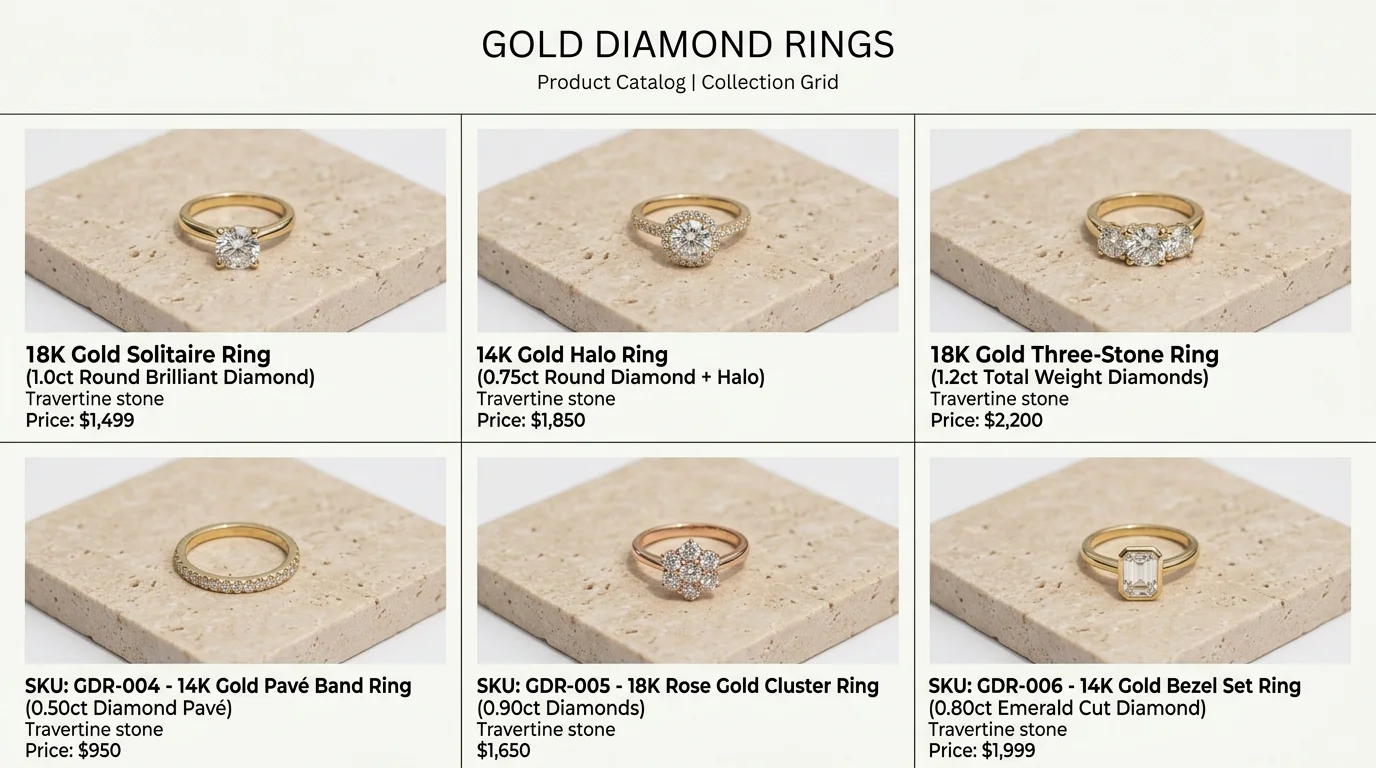
When a customer browses a Shopify collection page or wholesale line sheet, inconsistent lighting, fluctuating camera angles, or shifting metal tones destroy trust. If SKU #1 shows a ring against warm ivory limestone at eye-level while SKU #2 shows a ring against cool white tile from top-down overhead, the catalog looks disjointed.
The 4 Pillars of Catalog Uniformity
-
Fixed Camera Geometry: Lock camera distance, focal length (such as an 85mm macro lens equivalent), and camera elevation (such as 45 degrees) across all SKUs in a product line.
-
Consistent Color Temperature & Metal Response: Establish a strict white balance profile. 18k yellow gold must maintain a warm champagne tone (approximately 3200K warmth in highlights), sterling silver must remain crisp and neutral, and 14k rose gold must retain its subtle copper-blush hue without turning red.
-
Standardized Surface Family: Group your collection into unified visual families. All bridal rings belong on a shared ivory silk or white marble background system; all bohemian silver pieces belong on a unified slate or raw linen surface system.
-
Multi-Platform Export Compliance: Commercial jewelry assets must meet strict platform specifications:
- Shopify & Custom E-Commerce: 2048 x 2048px square format, 1:1 aspect ratio, centered 70% product scale, sRGB color profile.
- Amazon Marketplace: 1000 x 1000px or larger, pure white background (#FFFFFF), product occupying at least 85% of frame according to Amazon Seller Central guidelines, zero watermarks or secondary props.
- Google Merchant Center: Minimum 2000 x 2000px (enforcing 500x500px universal minimum in 2027), product filling 75% to 90% of image area on white or neutral background.
- Etsy & Instagram Shop: 2000 x 2000px, warm lifestyle flat lay or on-model context with natural lighting per Etsy listing standards.