The Core Challenge: Why Jewelry Photography Demands Specialized AI
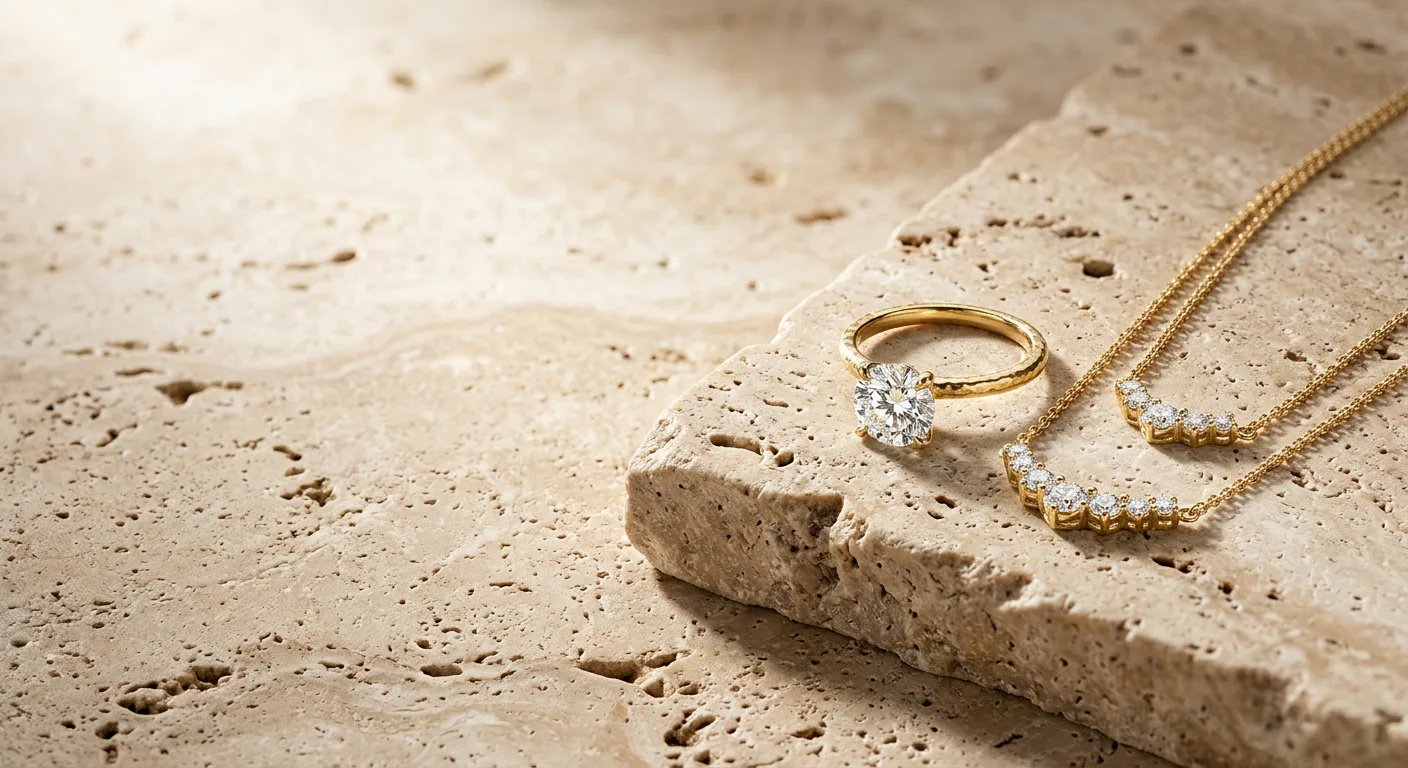
When e-commerce brands attempt to use generic AI image generators for jewelry, the results are almost always disappointing. A diamond is not a simple white cup; it is a complex optical structure with specific refractive indices, facet cuts, and reflection behaviors. A yellow gold ring is not just a yellow circle; it has a polished luster, specular highlights, and structural prongs that must look secure and realistic.
General-purpose AI design tools often fail here. They smudge fine filigree, distort gemstone facets, and produce metallic gold textures that look like flat, painted plastic. This is why specialized AI tools like Hylo and Jewelry Photo AI exist.
In this guide, we will provide an honest, side-by-side comparison of Hylo vs. Jewelry Photo AI, analyzing where each platform succeeds, where they struggle, and how to choose the right one for your jewelry business.
Side-by-Side Comparison: Hylo vs. Jewelry Photo AI
| Feature / Criteria | Hylo AI | Jewelry Photo AI |
|---|---|---|
| Metal Luster & Fidelity | Pixel-perfect reflection mapping & color-locking | Standard static lighting overlays |
| Gemstone Fire & Dispersion | True optical refraction (e.g. Diamond index 2.417) | Enhanced color contrast only |
| Aspect Ratios & Formats | Custom dimensions (Etsy 4:3, Amazon White, Shopify square) | Static output dimensions |
| Brand Consistency | Locked via Brand Kit (RGB and style templates) | Requires manual re-prompting |
| Bulk Batch Workflows | Upload 20+ SKUs, batch process in under 2 minutes | One-off manual generation |
| Advanced Editing | Multi-layer Canvas Editor with custom shadow control | Simple background swap only |
Deep-Dive Feature Analysis
1. Gemstone Realism & Fire
Gemstones possess unique optical characteristics that define their value. A diamond refracts light, dispersion splits it into fire (rainbow sparkles), and facets must stay sharp. Jewelry Photo AI frequently smudges transparent stones because its underlying models treat them as solid opaque structures.
Hylo simulates light dispersion to render true fire. By calculating how light passes through diamond facets, Hylo preserves the stone's depth and prevents it from looking like a flat sticker.
2. E-commerce Customization & Aspect Ratios
Marketplaces have strict listing requirements. Amazon demands a pure white background with the product occupying 85% of the frame. Etsy thrives on 4:3 warm, lifestyle images. Shopify works best with 1:1 square packshots.
Hylo provides custom aspect ratios built specifically for these channels. You can adjust the framing, margins, and placement of the product. Jewelry Photo AI uses static frames, forcing you to crop and resize your outputs in third-party editors, which degrades image resolution.
3. Brand Kit Consistency
If you sell a collection of 18k yellow gold rings, the metal color must be identical across all product listings. If one ring looks rose gold and another looks lemon yellow, your storefront will look amateurish.
Hylo’s Brand Kit allows you to lock in your exact brand colors (e.g. 18k Yellow Gold hex code: #F1DDBF) and style settings (e.g. Luxury Editorial, Daylight Studio). Once saved, these rules are applied across all generations. With Jewelry Photo AI, you must manually enter prompts for every image, leading to color shifts between products.
Where Jewelry Photo AI Wins (An Honest Assessment)
For full transparency, there are areas where Jewelry Photo AI has advantages:
- Simplicity for Casual Hobbyists: If you are a casual creator selling 2-3 custom items a month on Etsy, Jewelry Photo AI's simple background swap tool requires zero learning curve.
- Lower Entry Pricing: Jewelry Photo AI offers a cheaper starting plan for users who generate fewer than 10 images a month and do not need advanced editing tools.
- Mobile-First App: Jewelry Photo AI has a basic mobile interface that allows quick edits on the go, whereas Hylo is a robust, desktop-first web application built for professional catalog workflows.
E-E-A-T & Founder's Perspective
Written by Harshal Patel, Founder & Creative Designer of Hylo.
As the founder of Hylo, I spent months interviewing jewelry brand owners. The single biggest complaint I heard was the bottleneck of product photography. High-end studios charge $50 to $150 per image, and manual Photoshop retouchers take hours per SKU.
We built Hylo to solve this exact problem. Our goal wasn't just to make another "background remover," but to create a specialized jewelry engine. By integrating physics-based light simulation with advanced diffusion models, we ensure that your precious metals look polished and your diamonds sparkle naturally. You can read more about our mission and story on our About Us page.
How to Set Up Your Brand Kit in Hylo
To get consistent commercial-grade results, follow this simple setup guide:
- Select Your Gold Tone: Go to your Brand Kit dashboard. Select your standard metal tone. If you use custom gold alloys, input the RGB/Hex values (e.g. yellow gold standard
RGB: 255, 215, 0). - Choose a Studio Preset: Select Daylight Studio for clean catalog shots or Luxury Editorial for editorial campaign graphics.
- Save and Batch Apply: Save the template. Now, when you upload a new batch of raw phone photos, Hylo will automatically isolate the jewelry, apply the color-locked metals, and generate matching shadows in seconds.
Frequently Asked Questions
Can I use photos taken on my phone with Hylo?
Yes. Hylo is designed to enhance standard mobile phone photos. Our AI Retouch model automatically removes dust, fingerprints, and minor scratches while reconstructing fine macro details on prongs and clasps.
How does Hylo preserve the transparency of gemstones?
Hylo uses a specialized mask overlay that separates the gemstone from the background, allowing the background colors to reflect subtly through the stone's facets, just like a physical diamond would.
Does Hylo support bulk exports?
Yes. You can upload up to 20 SKUs at once in our multi-product brief, apply your Brand Kit template, and download the high-resolution files ready for Shopify and Amazon.
Do you offer custom pricing for large catalogs?
We provide credit plans optimized for brands of all sizes. For enterprise retailers with thousands of SKUs, we offer volume-based custom plans. Contact our support team for details.
How does Hylo's shadow generator work?
Unlike traditional editors that paint a flat gray drop shadow, Hylo's 3D engine calculates the physical geometry of your jewelry to cast a realistic contact shadow that anchors the product naturally.
