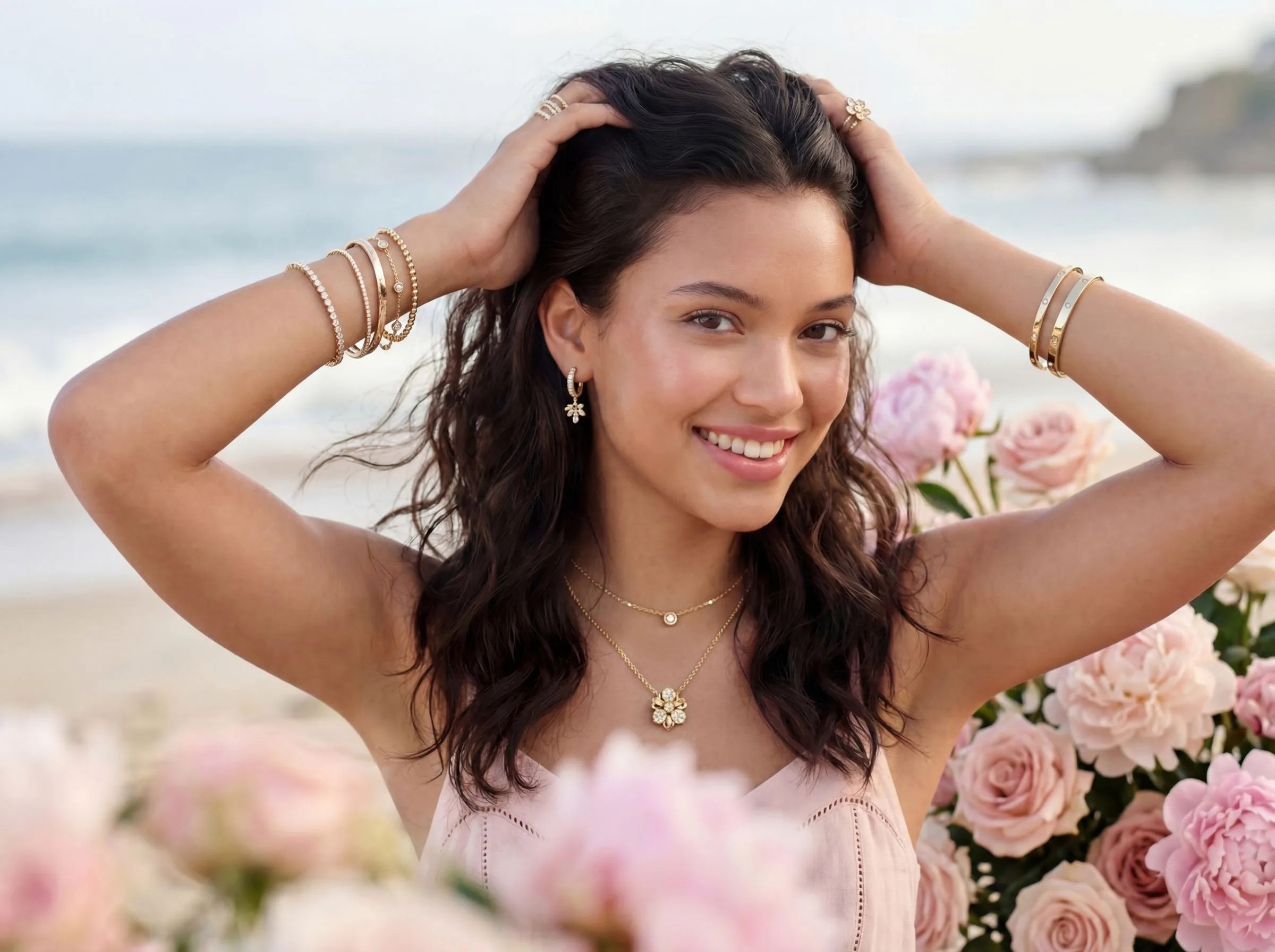
Quick Verdict: Hylo vs. Flair.ai
Flair.ai is a powerful, general-purpose AI design tool that generates creative scenes for a wide range of products. Hylo is a specialized AI photography studio built from the ground up for one thing: making jewelry look incredible.
For a general e-commerce store selling apparel, cosmetics, and a few accessories, Flair offers great flexibility. For a dedicated jewelry brand that needs to produce consistently high-fidelity images that capture the true texture of metal and the fire of a gemstone, Hylo is the definitive choice. It replaces the workflow of a professional jewelry photographer, not just a graphic design tool.
Here’s our recommendation based on your business type:
- For the solo designer: Choose Hylo to establish a premium, trustworthy brand identity from your first collection.
- For the small DTC brand: Choose Hylo to scale your product photography without compromising on quality or brand consistency.
- For the Etsy or Amazon seller: Choose Hylo for its marketplace-compliant packshots and scroll-stopping lifestyle images that drive clicks.
- For the wholesale supplier: Choose Hylo to generate entire linesheets with perfect consistency in minutes, not days.
- For the generalist lifestyle store: Flair.ai is a strong contender if jewelry is a minor part of a diverse product catalog.
At-a-Glance Comparison: Hylo vs. Flair.ai
While both tools use AI to create product photography, they are built for fundamentally different users and use cases. This table breaks down the key differences for a jewelry brand owner.
| Feature | Hylo | Flair.ai |
|---|---|---|
| Core AI Model | Jewelry-specific; trained on millions of jewelry images. | General product model. |
| Best For | Jewelry, watches, small metal goods, gemstones. | Apparel, CPG, cosmetics, general e-commerce. |
| Brand Consistency | Brand Kit feature saves your unique lighting, angles, and scenes for 1-click application. | Manual scene creation; requires recreating your style for each new shoot. |
| Jewelry Detail Fidelity | Superior rendering of fine chains, prongs, pavé settings, and metal textures. | Good, but can struggle with reflections, transparency, and delicate details. |
| Workflow Features | AI Retouch for dust/scratches, marketplace presets, bulk generation. | Drag-and-drop canvas, asset library. |
| Bulk Processing | Yes, generate up to 50 images from a single Brand Kit style at once. | Yes, via API access on higher-tier plans. |
| Free Tier | 30 free image generations. | 30 free image generations. |
| Starting Price | $49/month for 400 images. | $10/month for 100 images. |
Where Flair.ai Wins
To be clear, Flair.ai is a capable and popular tool. Its strengths lie in areas where creative flexibility is more important than product-specific accuracy. Here’s where it has an edge:
1. Broader Product Versatility
If your brand, "The Coastal Curator," sells hand-poured candles, linen shirts, and a small collection of silver pendants, Flair.ai is a very efficient choice. Its general AI model can handle all those categories from a single interface. You can generate a shot of your candle on a rustic wooden table, your shirt draped over a beach chair, and your pendant on a piece of driftwood, all within the same tool. Hylo is laser-focused on jewelry and small hard goods; it would not be the right choice for photographing apparel.
2. Unrestricted Creative Scene Building
Flair operates more like a free-form design canvas, similar to Canva. You can drag and drop assets, arrange elements in any configuration, and build fantastical scenes from scratch. If you want to place your product—say, a bottle of perfume—on a marble pedestal floating in the clouds, Flair is built for that kind of imaginative composition. While Hylo's Creative Library offers hundreds of professionally designed scenes, it is curated for realism and brand consistency, not purely abstract or illustrative concepts.
3. Lower Entry-Level Price
Flair.ai’s starting plan is $10 per month. For a hobbyist, a student, or a business owner who needs just a handful of images for a one-off project, this is an extremely accessible price point. It allows for experimentation with AI photography with very little financial commitment. However, this plan has significant limits, and professional features require higher-priced tiers.
Where Hylo Wins
Hylo is built to solve the specific, expensive, and time-consuming problems that jewelry brands face with photography. For these users, its advantages are decisive.
1. The Jewelry-Tuned AI Model
This is the single most important difference. A general AI model sees a diamond ring as a 'shiny object on a finger.' Hylo's model understands the physics of light interacting with a 1-carat, VVS1, round-cut diamond in a platinum prong setting. This results in:
- Superior Metal Fidelity: Hylo renders gold, silver, and platinum with accurate reflections and texture. Where Flair can sometimes produce a 'melty' or digitally warped look on reflective surfaces, Hylo preserves the integrity of the metal, including brushed, matte, or hammered finishes.
- Unmatched Gemstone & Diamond Clarity: Hylo captures the internal fire and facets of gemstones and the transparency of diamonds. It avoids the flat, plastic look that general models can create. For a brand selling emerald necklaces or sapphire engagement rings, this is critical for conveying value.
- Crisp Fine Detail Preservation: Delicate 1mm cable chains, tiny prongs on a pavé band, and intricate milgrain edging are rendered with sharpness and clarity. General models often blur or distort these fine details, which can make expensive pieces look cheap.
2. True Brand Consistency with Brand Kit
This is Hylo's killer feature for scaling brands. Instead of manually creating a scene for every new product, you use Brand Kit. You can upload your existing best photos or use Hylo's tools to define your brand's unique photography style once—your preferred lighting, camera angles, shadows, and backgrounds. From then on, you can apply that exact style to hundreds of new products with a single click. This ensures every image on your Shopify store, Instagram feed, and wholesale linesheet is perfectly consistent, building a cohesive and professional brand presence. This automates the work of a creative director.
3. A Workflow Built for Jewelers
Beyond image generation, Hylo streamlines the entire post-production process for jewelry businesses:
- AI Retouch: Go from a dusty phone photo to a flawless product shot in one click. AI Retouch is specifically trained to identify and remove dust, fingerprints, and minor scratches from metal and gems—a task that can take 15-30 minutes per image in Photoshop.
- Marketplace & Social Presets: Instantly generate images perfectly cropped and formatted for any channel: a 1:1 square for your Shopify collection page, a 1:1 for your Instagram grid post, a 4:5 for your Instagram feed, a 9:16 for Stories, and packshots with the exact whitespace requirements for Amazon and Etsy.
- Canvas Editor: For fine-tuning, the Canvas Editor allows you to adjust composition, change backgrounds, and perfect every shot without ever leaving the Hylo platform. It provides creative control within the guardrails of your brand style.
Which Brands Should Pick Which Tool?
Choosing the right tool depends entirely on your products, goals, and scale.
Scenario 1: The Dedicated Jewelry Brand
- Profile: You sell only jewelry. Your brand is built on quality and craftsmanship, and you sell across your own website, social media, and perhaps to wholesale accounts. You need dozens of images for each new collection.
- Recommendation: Hylo. The specialized AI model, Brand Kit for consistency, and AI Retouch for post-production are not just nice-to-haves; they are essential for creating professional jewelry imagery at scale. The time and money saved compared to booking a photographer or spending hours in Photoshop provide a clear ROI.
Scenario 2: The Etsy Seller Just Starting Out
- Profile: You have a small collection of 5-10 unique pieces. Your primary goal is to get clean, professional-looking photos for your Etsy listings on a minimal budget.
- Recommendation: Start with Hylo's free tier. You get 30 free images, which is enough to create multiple shots for your first 5-7 products. The superior image quality for jewelry will make your listings stand out and can directly impact conversion rates. While Flair's $10 plan is tempting, a low-quality image of a necklace can hurt sales more than it helps. Once you make sales, reinvesting in a paid Hylo plan is the logical next step.
Scenario 3: The Multi-Category Lifestyle Boutique
- Profile: You sell a curated mix of products: jewelry is one category, alongside apparel, home decor, and accessories. Brand consistency across all categories is important.
- Recommendation: A potential use case for Flair.ai. If jewelry is less than 25% of your catalog and your other items are your primary sellers, Flair's versatility is a major advantage. However, if your jewelry is a high-margin hero category, consider a hybrid approach: use Hylo for your jewelry to ensure it looks premium, and Flair for your other, less-demanding product types.
Scenario 4: The One-Off Creative Project
- Profile: You're a graphic designer or marketer who needs a single, highly conceptual image for a mood board or an ad campaign test. Photorealism is secondary to creative expression.
- Recommendation: Flair.ai. Its free-form canvas is ideal for this kind of work. The ability to quickly composite various elements to create a surreal or illustrative scene is Flair's core strength.
How to Try Hylo Without Risk
Reading a comparison is one thing; seeing the difference on your own products is another. We've made it simple and risk-free to test Hylo against any other tool, including Flair.ai.
-
Start with 30 Free Images: Every new Hylo account comes with 30 free image generations. No credit card is required. This is enough to create a full set of photos (packshot, lifestyle, detail shot) for 5-10 of your products.
-
Run a Side-by-Side Test: Follow this simple 10-minute process to see the difference for yourself.
- Choose 3-5 products from your collection. Be sure to include one with a fine chain (like a necklace), one with a colored gemstone, and one with a reflective metal surface.
- Take a clear photo of each product on your phone. A simple, well-lit shot on a neutral background is all you need.
- Upload the exact same source photos to both Hylo and Flair.ai using their free tiers.
- Generate a standard packshot (white background) and one lifestyle shot in each tool.
- Compare the results. Pay close attention to: Is the chain sharp or blurry? Does the metal look like real, polished metal or like gray plastic? Do the gemstones have depth and sparkle?
-
14-Day Money-Back Guarantee: If you decide to upgrade to a paid plan to access features like Brand Kit, we offer a 14-day, no-questions-asked money-back guarantee. If you don't believe Hylo produces superior results for your jewelry, we'll refund your subscription.
There's no substitute for seeing your own jewelry rendered with an AI that understands it. Create your free account and see the difference in minutes.